2021年7月30日星期五

VXDIAG Ford IDS Parameter Programming Data Error


Problem:

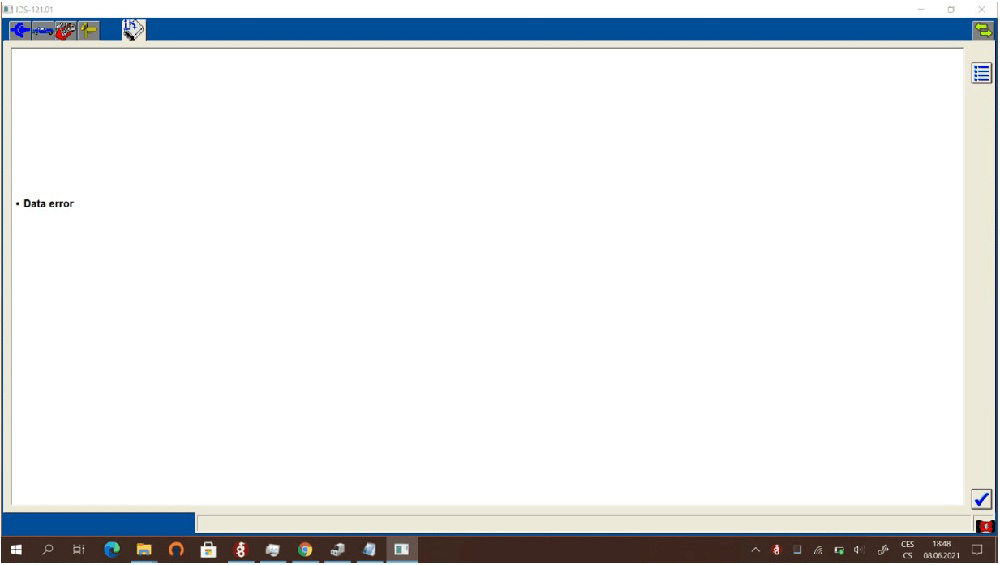
I got a problem when trying to do parameter programming with the vxdiag vcx nano ford IDS V121.01. It gave a data error. It cannot be done?

VXDIAG-Ford-IDS-Parameter-Programming-Data-Error-1
VXDIAG-Ford-IDS-Parameter-Programming-Data-Error-2

Solution:

Parameter programming requires online subscription.

We don’t provide an online account.

Ford Parameter programming example:

i.e Ford Mondeo 2007

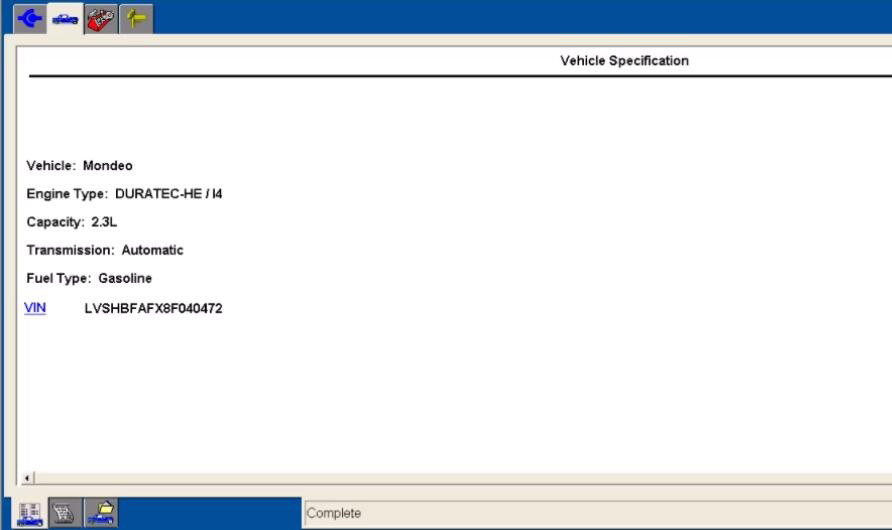
Start New Session-All other-Vehicle Specification

VXDIAG-Ford-IDS-Parameter-Programming-Data-Error-3

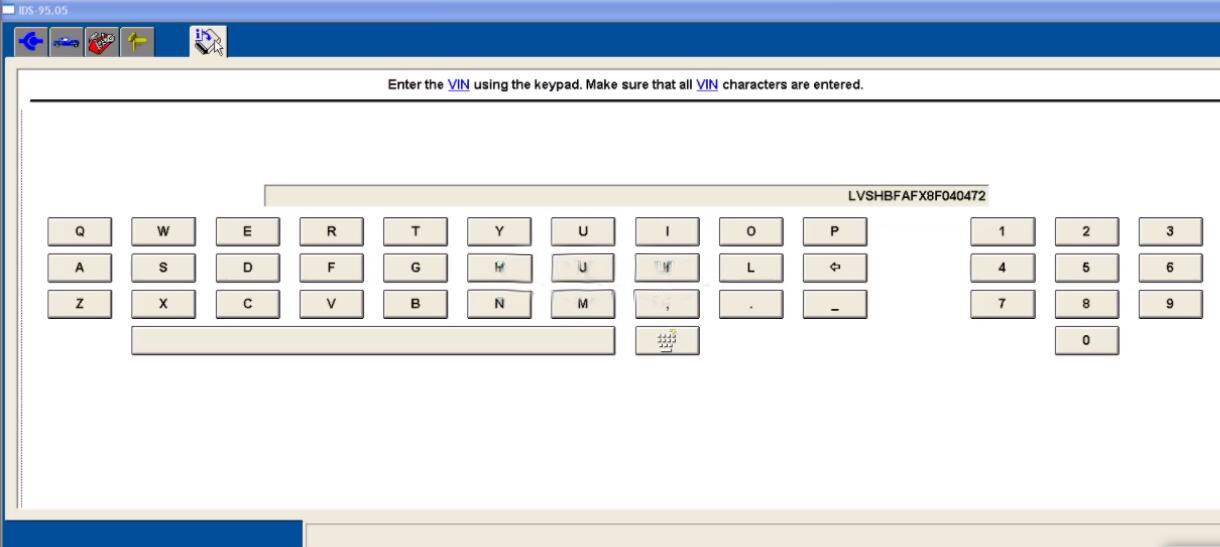
It will show the VIN
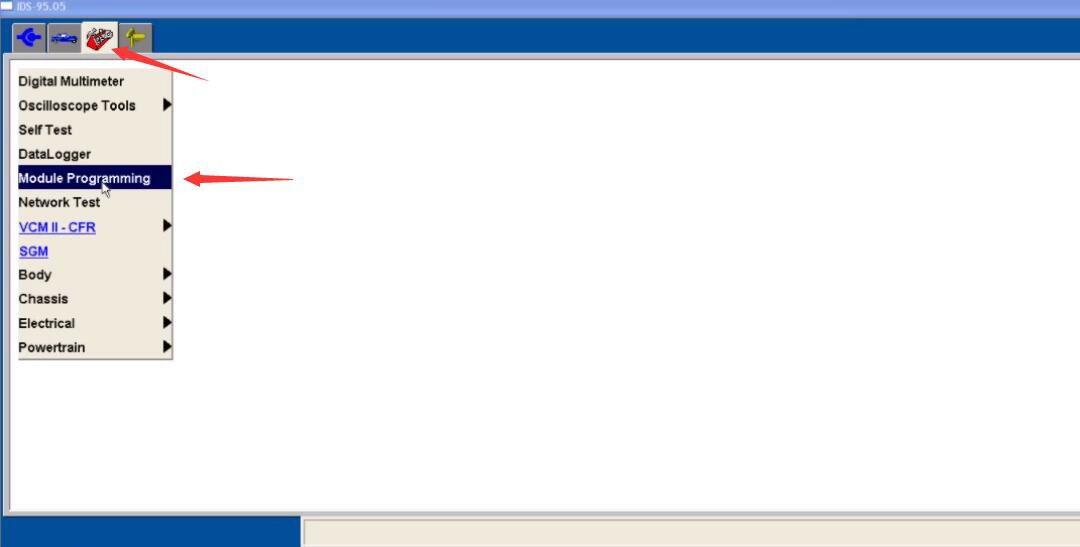
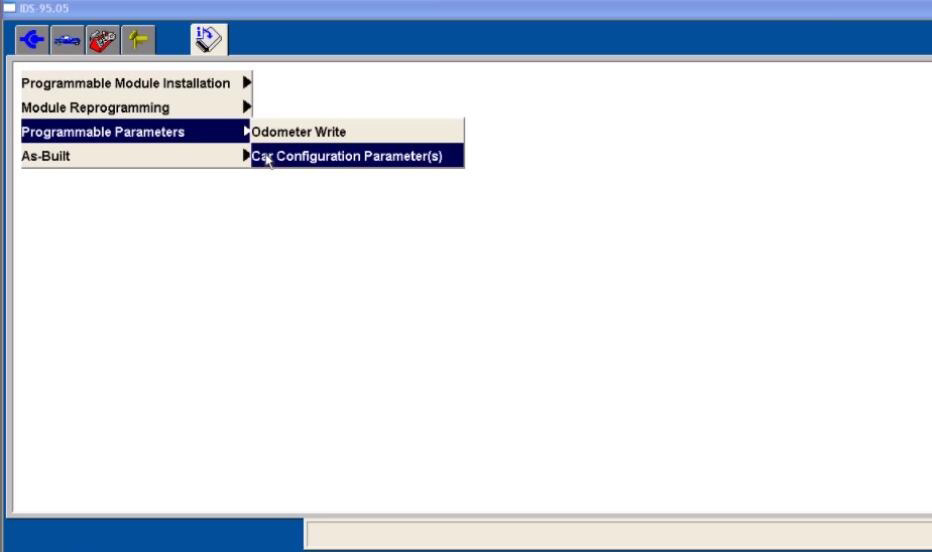
Click menu to select -Module Programming-Programming Parameters- Car Configuration Parameter(s)

VXDIAG-Ford-IDS-Parameter-Programming-Data-Error-4
VXDIAG-Ford-IDS-Parameter-Programming-Data-Error-5

During Module Programming this module goes through a VIN verification process.

This process compares the VIN in this module with the VIN in other modules on the vehihcle. You may see the VIN verification screen more than once depending upon your response to the question.

VXDIAG-Ford-IDS-Parameter-Programming-Data-Error-6

Enter the VIN and confirm

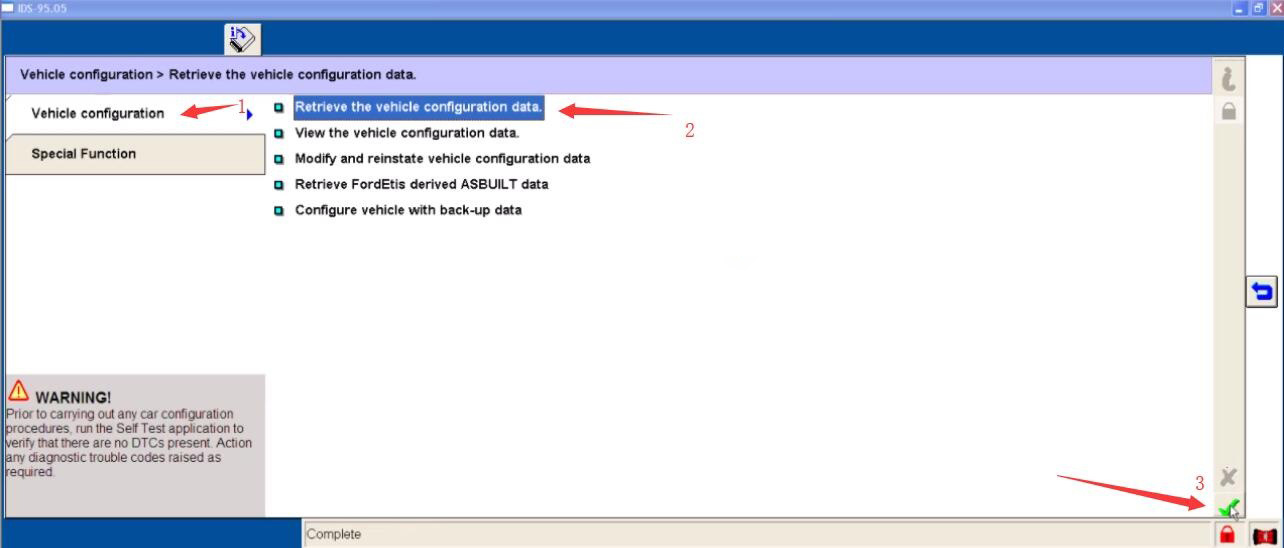
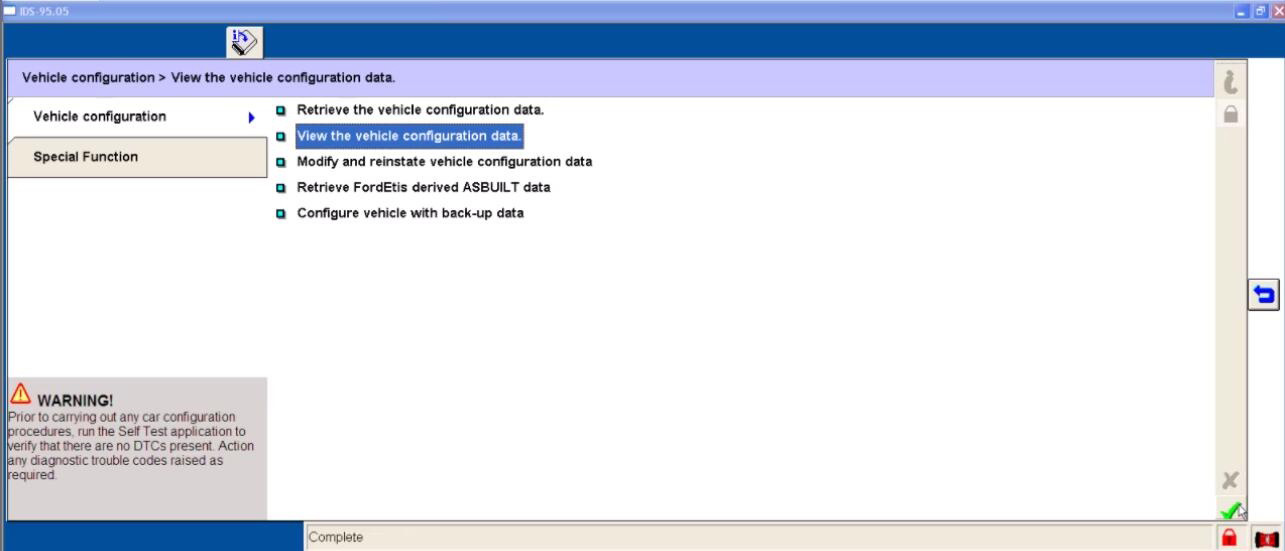
Select “Vehicle configuration”-“Retrieve the vehicle configuration data”

VXDIAG-Ford-IDS-Parameter-Programming-Data-Error-7VXDIAG-Ford-IDS-Parameter-Programming-Data-Error-8

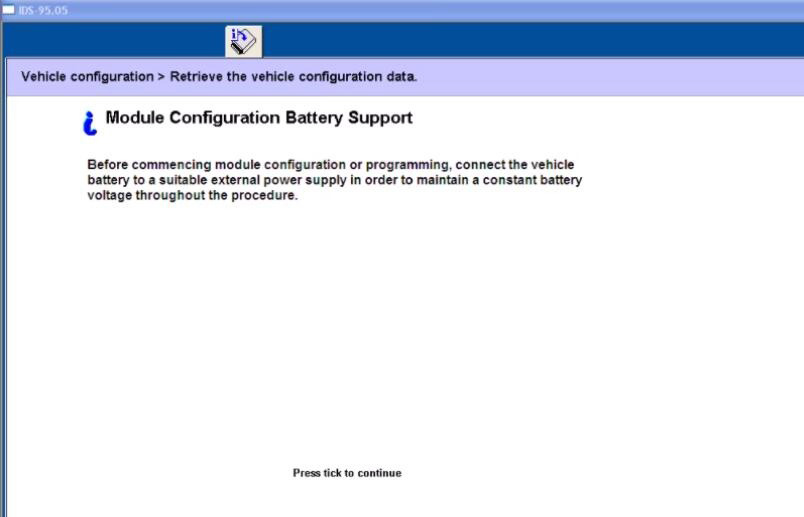
Click tick to continue
It will prompt you with the “Module Configuration Battery Support” information

VXDIAG-Ford-IDS-Parameter-Programming-Data-Error-9

Follow the Ford IDS prompt to set the ignition switch to ON
Operator question

Click tick to continue
Set ignition switch to OFF (Position 0)
Operator Action

Switch the ignition ON
Switch the ignition to off

Press tick to continue

VXDIAG-Ford-IDS-Parameter-Programming-Data-Error-10

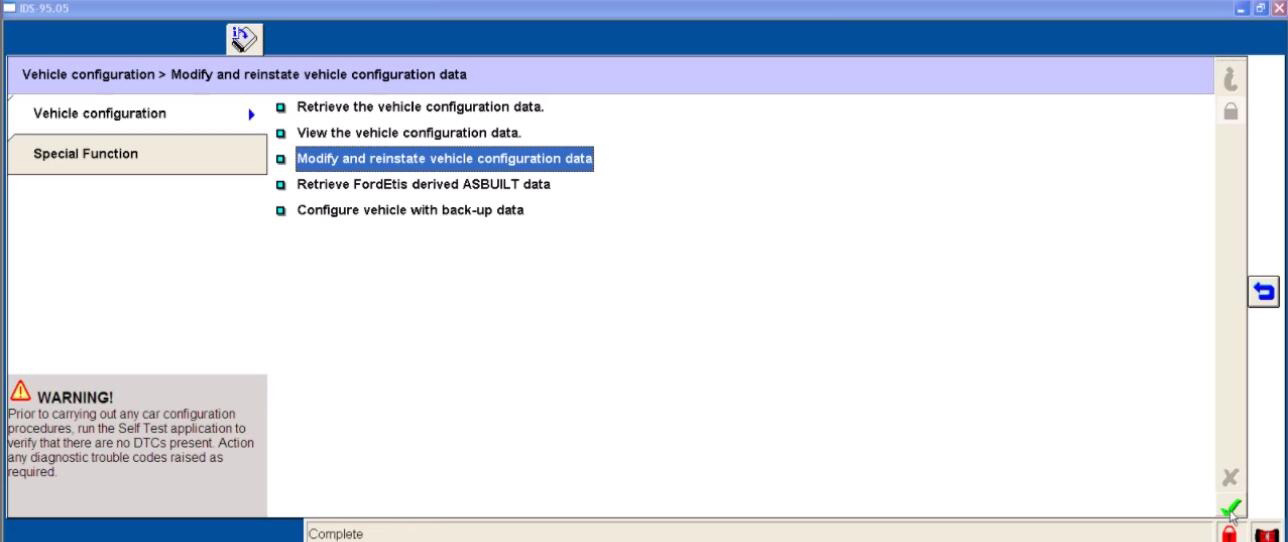
Back to select “Modify and reinstate vehicle configuration data”

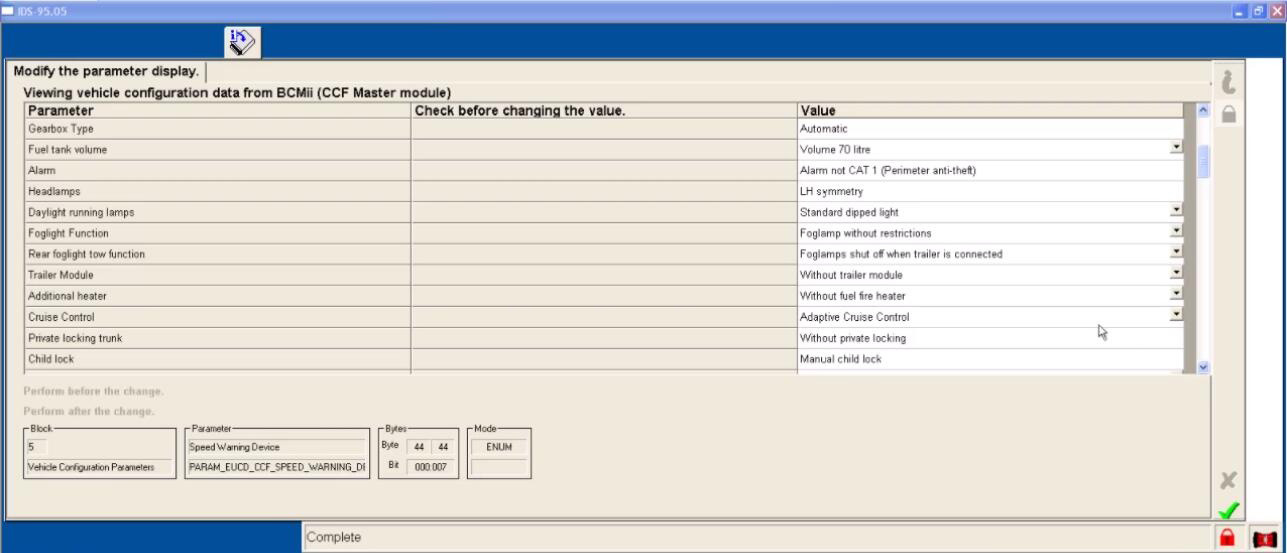
Here you can view vehicle configuration data from BCMii(CCF Master module)

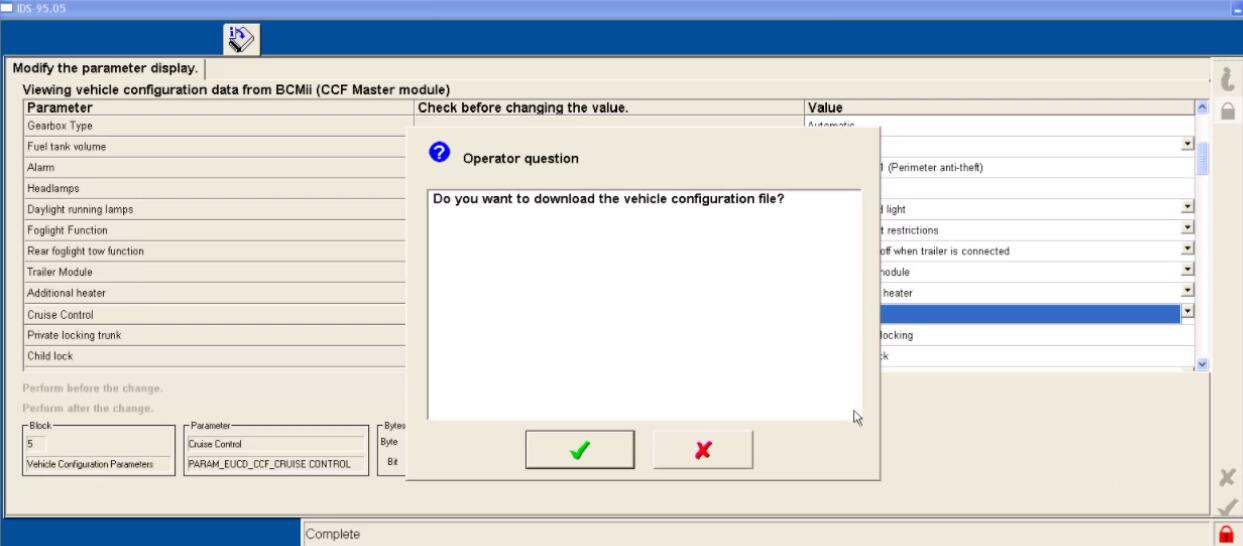
And before you modify the configuration data, you would better to download the data file to make a backup.

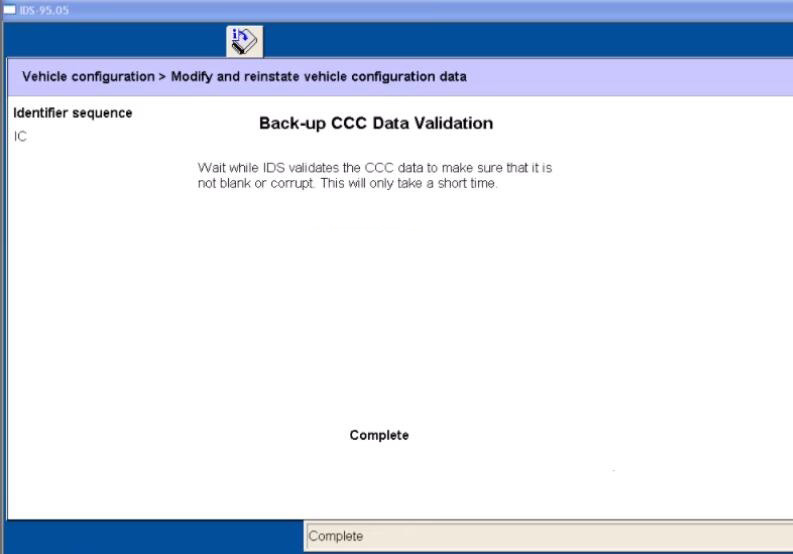
Select the system data file you want and then click the tick to download

VXDIAG-Ford-IDS-Parameter-Programming-Data-Error-11
VXDIAG-Ford-IDS-Parameter-Programming-Data-Error-12

Set the ignition switch to ON

Set ignition switch to OFF(Position 0)

Switch the ignition ON

VXDIAG-Ford-IDS-Parameter-Programming-Data-Error-13

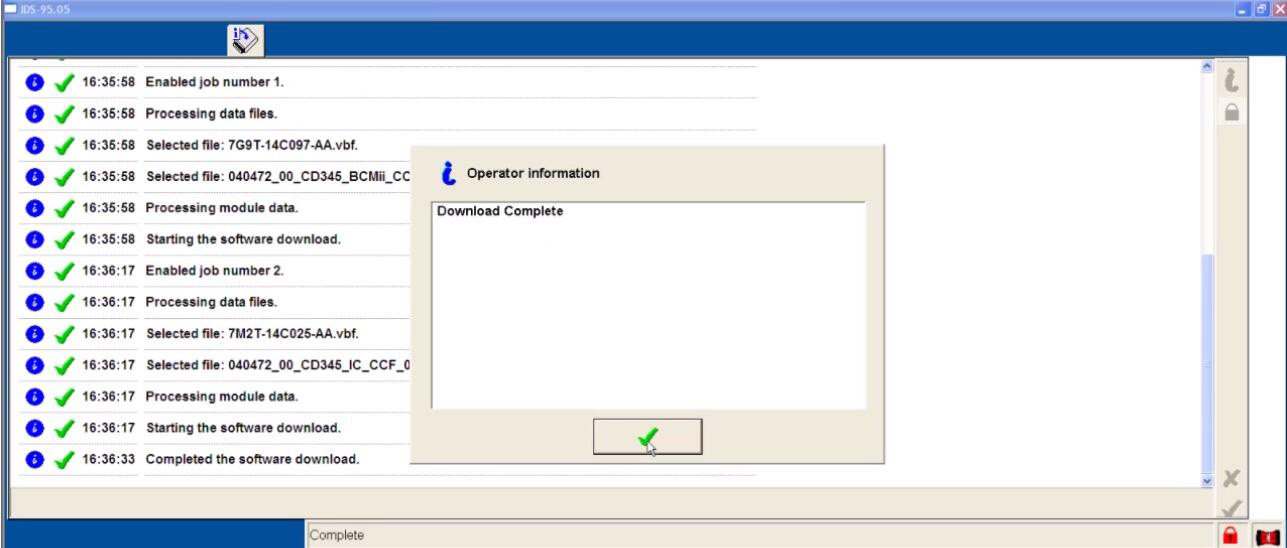
Download complete

Switch the ignition Off

You can view the vehicle configuration data here

VXDIAG-Ford-IDS-Parameter-Programming-Data-Error-14

Done!

BMW Coding Support and Solutions


BMW coding for your BMW 1, 2, 3, 4, 5, 6, 7, X, I, (2004-current E, F, and G, I chassis), and BMW Mini (R5x & F5x) Vehicles using BMW factory software such as INPA, NCS Expert, and BMW Diagnostic Software E-Sys. The features below represent a majority of the conveniences that can be disabled/enabled on your BMW (if applicable to your chassis).

Lights

Amber/Corner lights delete
Angel eyes as DRL
Disable bulb out warnings (disables warm and cold testing of bulbs)
Double flash hazards (not applicable on F-series chassis)
Pathway lighting with the key fob (follow me home lights)
Fog and high beams on at the same time
LCI taillight retrofit coding
Aftermarket HID coding
Disable DRL high beams
Disable DRL taillights
Front turn signals on when welcome lights activated
Angel eyes on when welcome lights activated

Cluster

M style digital speedometer
True car speed on the digital speedometer
Lock doors once a certain speed is reached/Unlock doors when the key is ejected
Turn off the car and eject the key fob by holding the ignition button in when parked
Nighttime illumination in a cluster with Daytime Running Lights
Turn signals in HUD
Disable Auto Start/Stop by default (F and G series only)
Remember the last setting of Auto Start/Stop (F and G series only)
Entertainment options in HUD (F series only)
Recent call list in HUD (F series only)
Assisted Driving View (G series only)

iDrive

Traffic options added to CCC/CIC navigation to alert you to any traffic congestion and offer detour options **More info**
Aux audio input enable
Enable Mp3 playback (Is your BMW compatible?)
Bluetooth retrofit coding
Satellite Radio input enable (needs hardware module to function)
CD changer input enable (needs hardware module to function)
Remove Legal disclaimer in Idrive
Remove weather band from entertainment source selection
Skip AM band on entertainment source selection
CIC retrofit coding
CIC DVD-in-Motion (For vehicles with CIC units only) *additional fee*
Update CCC DVD navigation maps ($15 installation fee). **Do I have CCC or CIC?**
Climate shortcut display shows in iDrive when fan button pushed (e9x only)
Seat heater “hi-med-low” slider in iDrive (e6x only)
Navigation FSC update code for latest Maps *additional fee*
Radio/Navigation off when the door opened (F series only)
Automatically set time by GPS in iDrive (NBT iDrive only)
Enhanced Bluetooth and USB (F series only)
Side view cameras on at all speeds (F series only)
Top view cameras on at all speeds (F series only)
Backup view camera on at all speeds (F series only)
Remove PDC + Cam disclaimer (F series only)
Tire pressure + Temperature in TPMS (F series only)
Phone Ringtone sent to CIC (F series only – not applicable on cars with no navigation)
DRL front and rear options (G series only)

Climate

AC blower was not turned on automatically when ignition switched on
LED fan speed indicator on in the Auto mode
Pressing “AUTO” on climate control does not turn on AC

Body

Windows up/down sunroof open/close with a key fob button press
Mirror fold in with key fob (must-have mirror fold option)
Disable seat belt butlers
Disable seat belt chime
Alarm module retrofit coding
Change alarm siren type to Euro (E-series chassis only)
Disable auto-dimming mirror (side-views)
Disable window safety feature (opening doors will not interrupt roll-up operation – not applicable to E6x)
Disable door chime when the door is open and the key is in slot
Enable acoustic notification on lock/unlock (must have alarm module)
Convertible roof-top open while driving (E-series convertibles)
Convertible roof-top open with the key fob (E93, and F-series convertibles)
One-touch auto open/close sunroof
Easy Entry – seat moves back a little when you open the door (F series only)
Enable Blind Spot Detection at lower speeds  (F series only)
Reprogram 3rd and 4th buttons on key fob (I3 Only)
Trunk close with key fob and interior button (F, X3, X5 series only. Not including 6 series F models)

Engine
Diagnostics and Service

Clear engine and transmission adaptations
Reset FRM short circuit counters/locks
Write VIN# and program used replacement ECUs/modules
Disable Neutral Idle Control per bulletin SI B24 03 08
New battery registration
Read/Clear OBD and BMW specific diagnostic codes
BMW Diagnostics and calibration using ISTA/Rheingold/INPA/Tool32
Replacement fuel injector parameter coding (N54/N55 engines)
Adjust idle RPM’s (not available for R5x BMW Mini models)

I3

Allow 2.4 Gallon Tank Capacity (I3 only)
Allow REX anytime below 75% “Hold Mode” (I3 only)
Eco-Pro or Eco-Pro+ on startup (I3 only)
Traffic Jam Assistant (I3 only)

BMW Performance Power Kit PPK (for N54 & N55 engines)

For N54 equipped vehicles produced from 03/2008 till 03/2010
For N55 equipped vehicles produced up till 02/2012
Increased torque of 317 ft-lbs (manual trans) or 332 ft-lbs (auto trans), available from just 1,500 rpm
Increased maximum output* of 320 horsepower (see graph image)
Faster acceleration from 0 to 75 mph

**Please include the last 7 digits of your VIN# in the quote.
Alpina B3 Transmission Flash (for N54 & N55 engines)

For N54/N55 equipped E9x vehicles produced from 03/2007+
Smoother shifting
Quicker up-shifts in D mode (Better fuel economy)
More precise shifting with fantastic rev-matching on downshifts in Sport mode.

**Please include the last 7 digits of your VIN# in the quote.
E90/E92/E93 M3 Euro GTS DCT flash

Improves the jerky or clunky downshifting when coming to a stop
Quicker and smoother gear shift engagement
Reduced clutch slip at higher RPMs
No more lag when shifting into reverse
Toggling the shifter switches to D2 instead of S3 with S mode memory

**Please include the last 7 digits of your VIN# in the quote.
N52 Three Stage Intake Manifold Flashing (for N52B30 engines)

For N52B30 equipped 1, 3, 5, and Z4 series E chassis vehicles
Up to 255bhp with 221 lb-ft of torque @ 6600rpm (265bhp for the 130i)
BMW 130i, 330i, 530i, Z4si factory software reliability

**HP gains to wheels will be more conservative.

**Please include the last 7 digits of your VIN# in the quote.
E46 M3 w/SMG II

CSL rev-matching and motor inertia DME parameters
CSL Transmission Software Flash
Cold-Start Delete
EWS Delete
Sport button memory
Speed governor removal
Enable shift lights with Manual Transmission

**If the vehicle has aftermarket tune or ECU upgrade please inquire if possible.

2021年6月24日星期四

Can Autel IM608 Program Smart Fortwo 451 08-15 All keys Lost

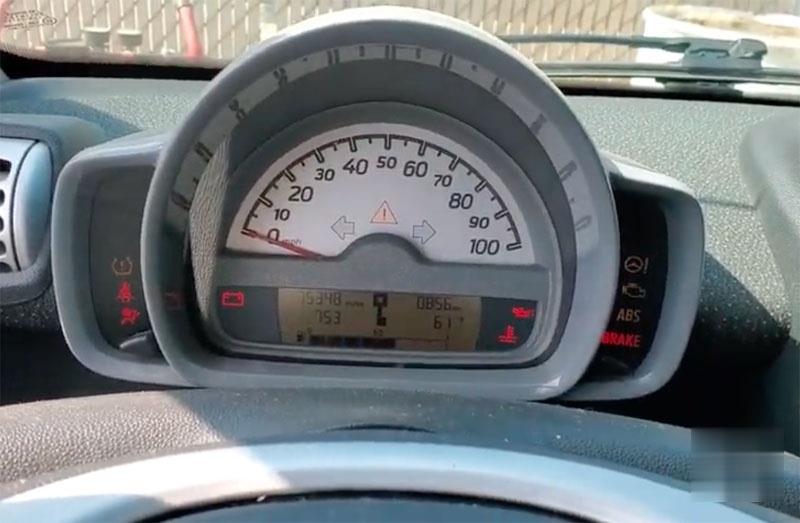
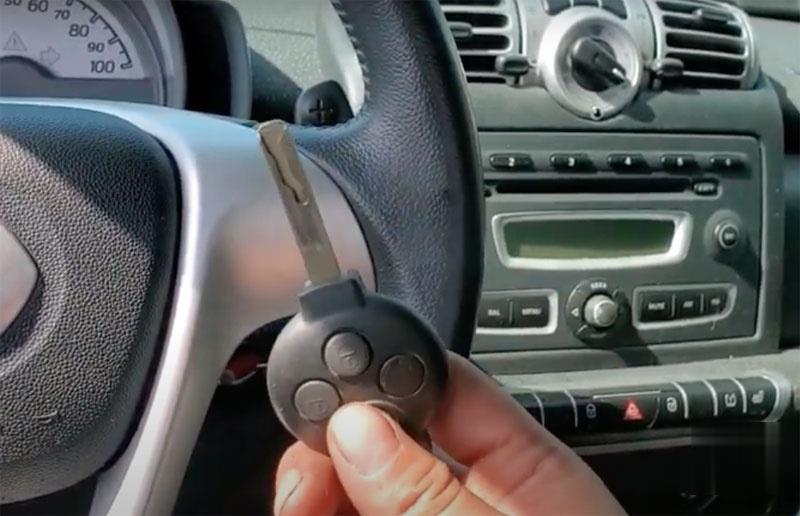
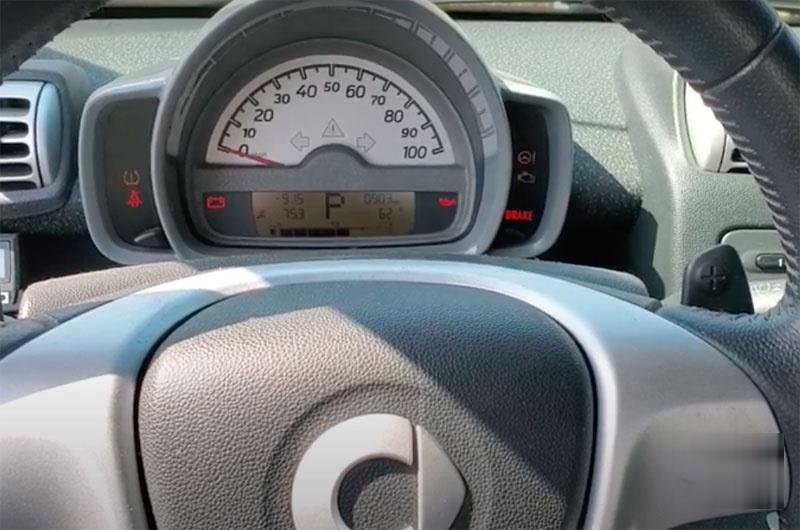
 We programmed a new remote key to a 2008 Smart Fortwo 451 with Autel MaxiIM IM608/IM508 because it lost all the keys. Car has the anti-theft indicator on.

Autel-IM608-Program-Smart-Fortwo-451-08-15-All-keys-Lost-1 (2) Autel-IM608-Program-Smart-Fortwo-451-08-15-All-keys-Lost-2 (2)   

Place the ignition switch. If we try to crank it, we got the message that it not programmed. This key is virgin.

Autel-IM608-Program-Smart-Fortwo-451-08-15-All-keys-Lost-3 (2)

Procedure:

2008-2015 Smart Fortwo (all keys lost, add key, EVU replacement) with Autel IM608

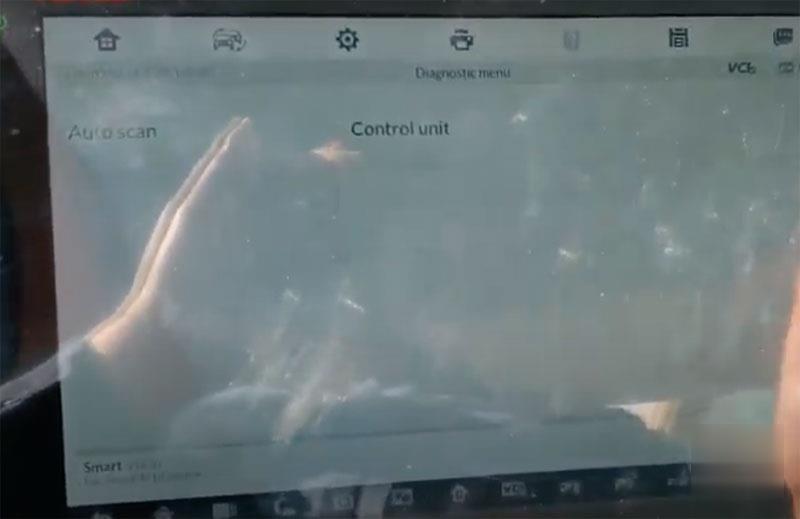
We go to Diagnostic instead of going to Immobilizer function.

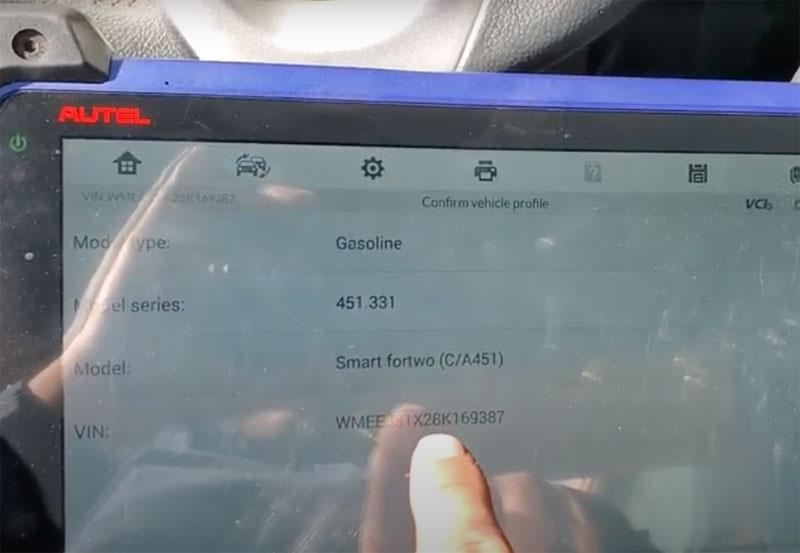
Check vehicle information, has vehicle model and vin number here

Autel-IM608-Program-Smart-Fortwo-451-08-15-All-keys-Lost-4 (2)

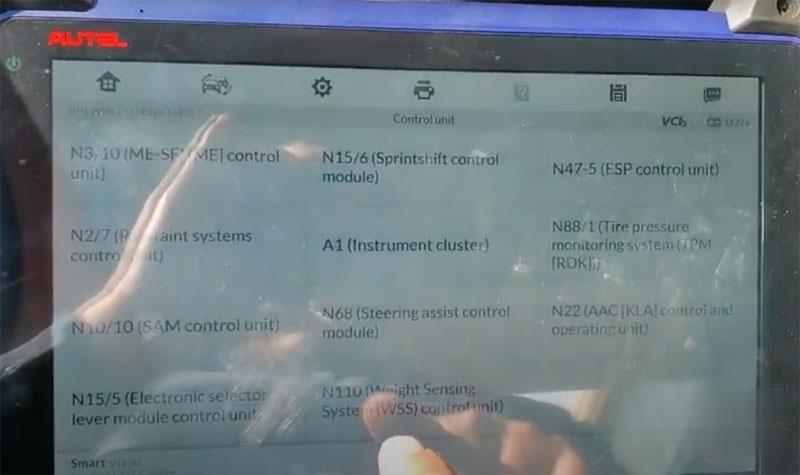
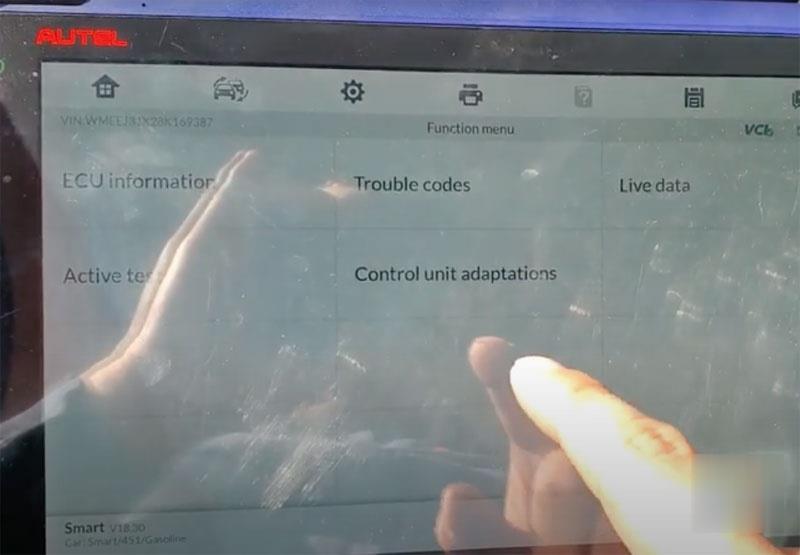
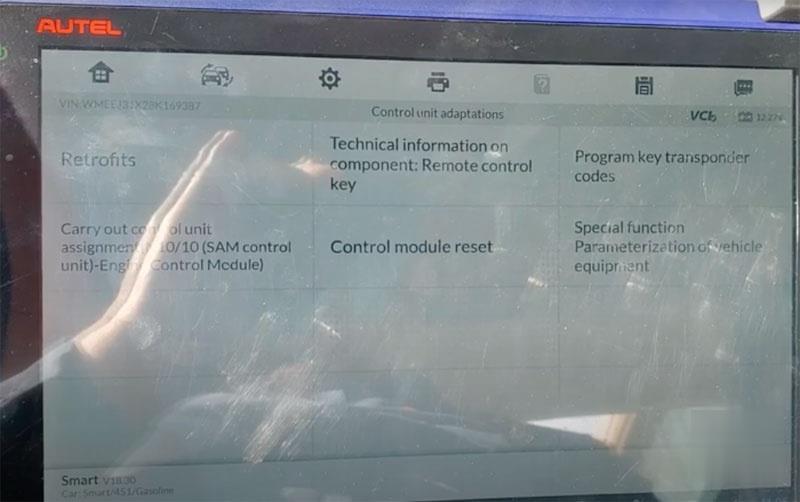
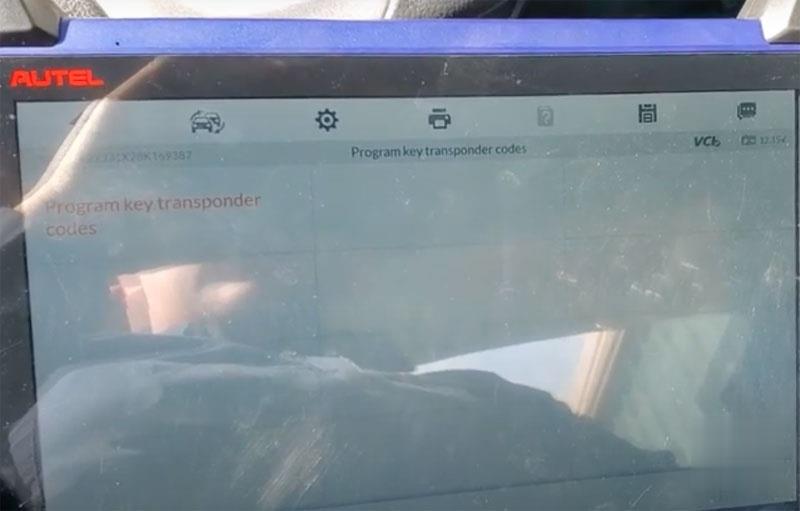
We go to Control unit ->N10/10(SAM control)-> Control unit adaptations->Program key transponder codes
Autel-IM608-Program-Smart-Fortwo-451-08-15-All-keys-Lost-5 (2)
Autel-IM608-Program-Smart-Fortwo-451-08-15-All-keys-Lost-6 (2)
Autel-IM608-Program-Smart-Fortwo-451-08-15-All-keys-Lost-7 (2)
Autel-IM608-Program-Smart-Fortwo-451-08-15-All-keys-Lost-8 (2)

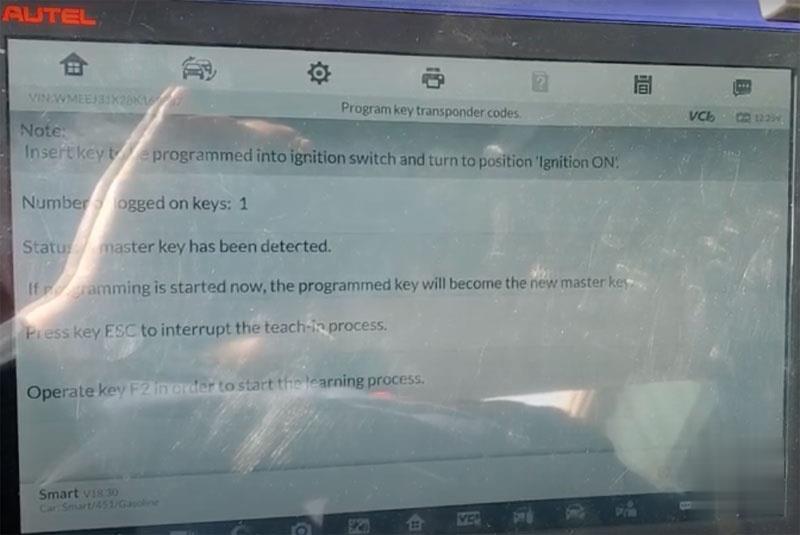
Insert key to be programmed into ignition and turn on ignition
Press F2 to start learning process

Autel-IM608-Program-Smart-Fortwo-451-08-15-All-keys-Lost-9 (2)

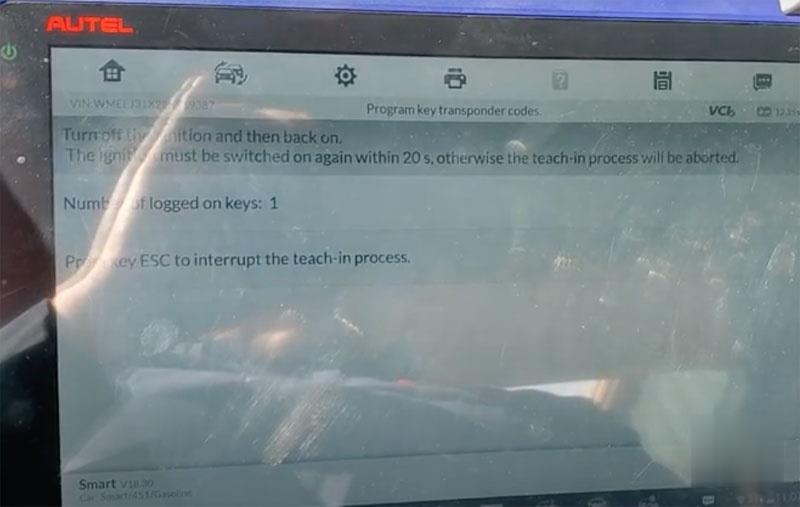
Turn off the ignition and then back on.

Autel-IM608-Program-Smart-Fortwo-451-08-15-All-keys-Lost-10 (2)

Press key ESC to interrupt rage teach-in process
Autel-IM608-Program-Smart-Fortwo-451-08-15-All-keys-Lost-11 (2)

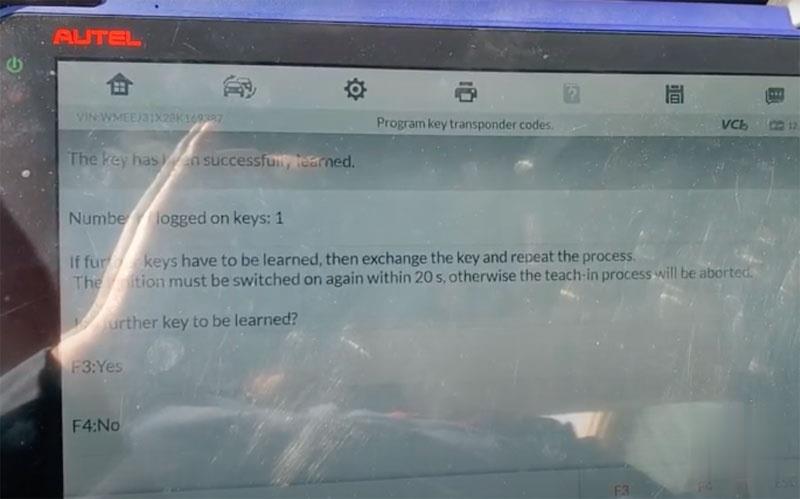
The key has been successfully learned.
Press Yes
Learning key in progress
Press F4 STOP
Remove the taught-in vehicle key

Insert vehicle keys to be taught in into ignition lock and turn to position ignition on
The ignition must be switched on again within 20s

Autel-IM608-Program-Smart-Fortwo-451-08-15-All-keys-Lost-12 (2)

Key has programmed. Now you can start the engine with the new key.

https://autelscantools.blogspot.com/2021/05/can-autel-im608-program-smart-fortwo.html

2021年5月26日星期三

How to Get SDConnect C4C5 to Work Under Part W

 MB Star diagnosis SDConnect C5 Clone (its a C4 in a C5 shell) – It works great in Xentry, connects and are fast and never fails there.
Windows 7 32 bit Ultimate Activated – Works perfectly as well and are fully updated
240gb SSD
Vediamo 4.2.2 with a good license and everything activated.
SDConnect Toolkit 2.1.13.

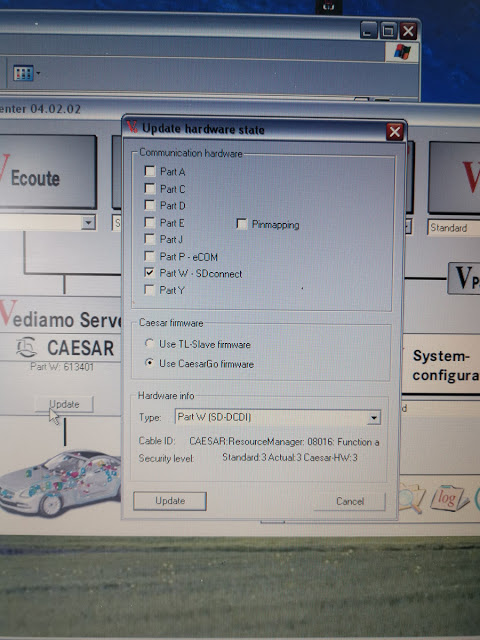
My question is: How to get Vediamo 4.2.2 to run on Part W configuration without the ToolkitApiDll.dll error and vediamo not finding your SDConnect c4/c5? Vediamo 4.2.2 has the Part W-SDconnect functionality integrated, yet when I try to use it stops detecting the SDConnect, because Vediamo doesn’t seem to want to communicate. It is not a computer to ecu error, it’s simply a computer-software error.

Simple question: how to get the SDConnect to work under Part W – SDConnect
And I mean Part W and not Part P-eCom.

Look at this image:

mb-sd-c4-c5-under-part-w

2.1.30 SDConnect Toolkit and Dietrih’s Vediamo 4.02.02 works with part W. Just gotta try with Me21.cbf now and see if we cannot simply get vediamo to work with this “Too old” ECU.

Update:

Success to connecting to the ECU now! It can read fault codes, see sensor data and some more stuff. Not really been giving me in to change anything yet because I am not sure what to do yet. But this is a great step forward!

Enjoy!

For any question on SDConnect C5, contact at www.obd2tool.com for assistance.
loading..

How to change GEM settings in Fiesta 2003


How to change GEM settings in Fiesta 2003 ?
I need to check or change the settings of the GEM in an Fiesta MK6 (build 2003).
Anyone knows a software tool to do this?
I have an ELM327 (clone) adapter at hand. Also an UCDS interface.

There are two software tools to do this:

IDS/VCM
Forscan

In details:
Ideally you want IDS/VCM for this.
At this age you can do anything to this car using a VCM with Ford IDS v86 and C81 calibrations.
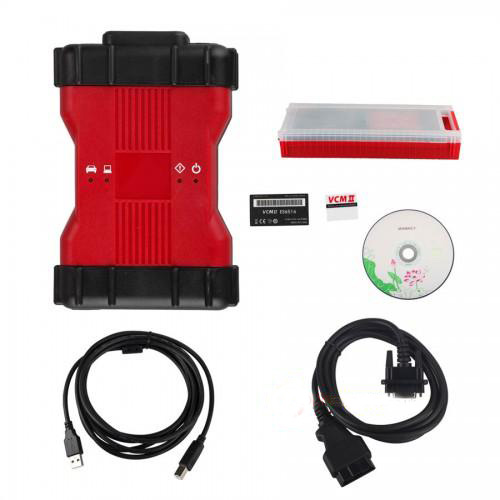
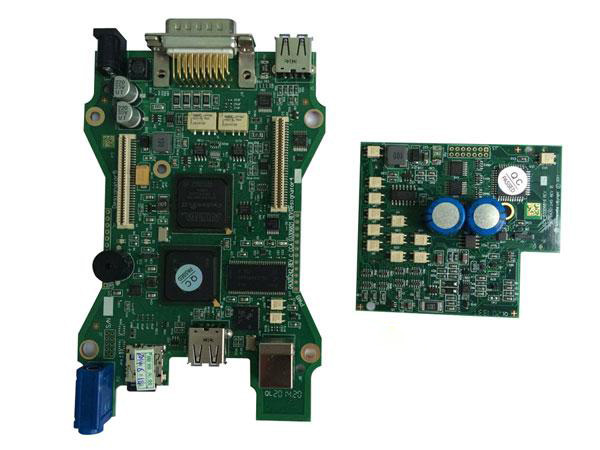
Advise the best VCM2 Ford IDS V101 (with double pcb, no wifi):

Vcm2-Change-Gem-Settings-In-Fiesta-2003-1
Vcm2-Change-Gem-Settings-In-Fiesta-2003-2

Capable alternative: Forscan
ForScan is working fine. I had this, but an old version without capability to program. Downloaded the recent version from forscan.org and all worked like charm! This is a really great tool and all for FREE!

Another working alternative: FORScan Scanner clone
Test reports: China clone bought two days ago, but DTC, direct coding and other functions work.
Vcm2-Change-Gem-Settings-In-Fiesta-2003-3
Vcm2-Change-Gem-Settings-In-Fiesta-2003-4
Vcm2-Change-Gem-Settings-In-Fiesta-2003-5


2021年5月13日星期四

Active Hidden Function via X431 PRO for Toyota Reiz 2015


Here we will show you how to active hidden function by X431 PRO for Toyota Reiz 2015.

Active-Hidden-Function-via-X431-PRO-for-Toyota-Reiz-2015-1

Function has been already tested on Toyota below:

Automatic padlock
Switch off the ignition about 30S/60S/120S Automatic padlock setting;
3 Press Remote control one time or twice to unlock setting.;
4. Luggage cover Settings;
5. The remote control shuts down all electric Windows;
6. The remote control opens all electric Windows;
7. ……

If you want to know more about X431 PRO, please click here: How to use launch X431.

Procedure:

Select“Toyota V48.42”above or VIN identification;
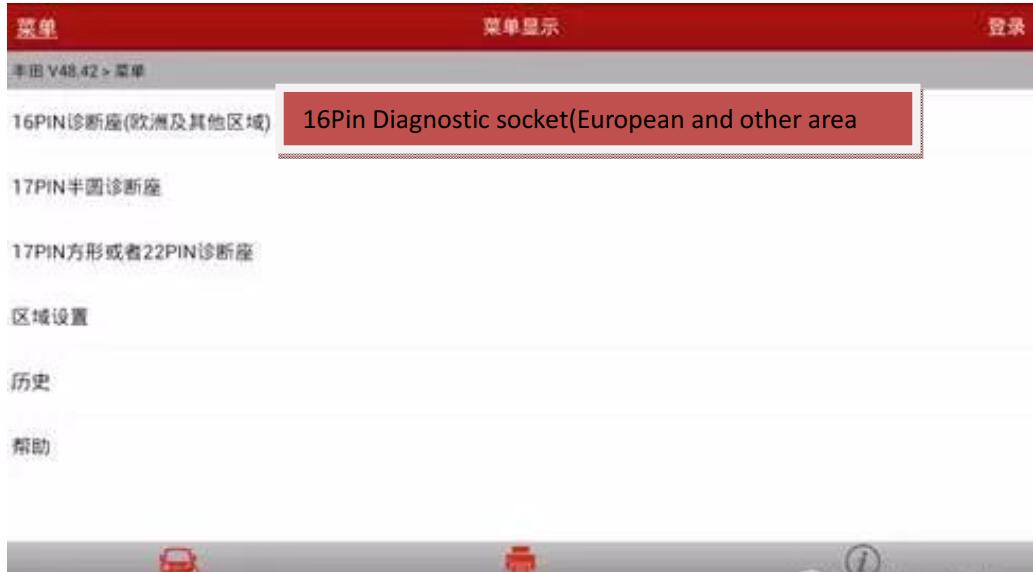
Select 16Pin diagnostic socket(European and other area)

Active-Hidden-Function-via-X431-PRO-for-Toyota-Reiz-2015-1 Active-Hidden-Function-via-X431-PRO-for-Toyota-Reiz-2015-2

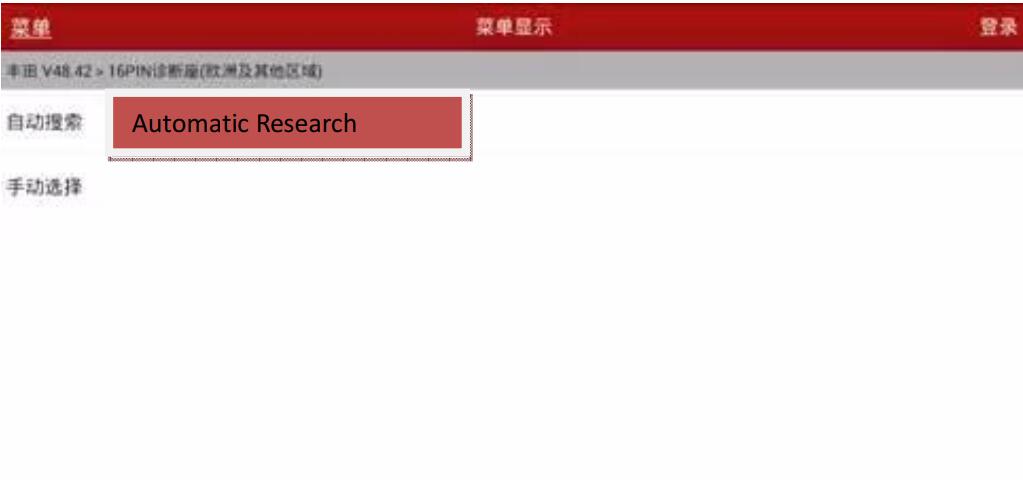
Select the automatic search

Active-Hidden-Function-via-X431-PRO-for-Toyota-Reiz-2015-3

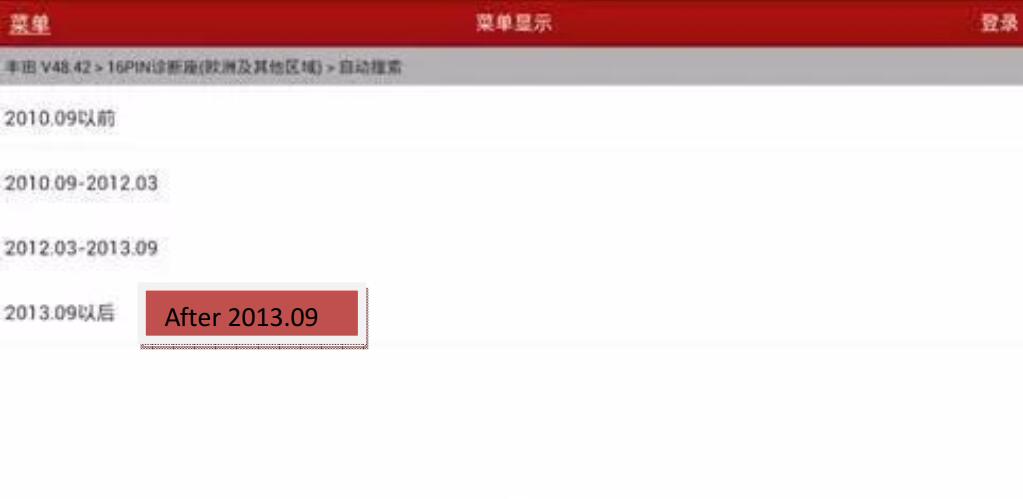
Select after 2013.09

Active-Hidden-Function-via-X431-PRO-for-Toyota-Reiz-2015-4

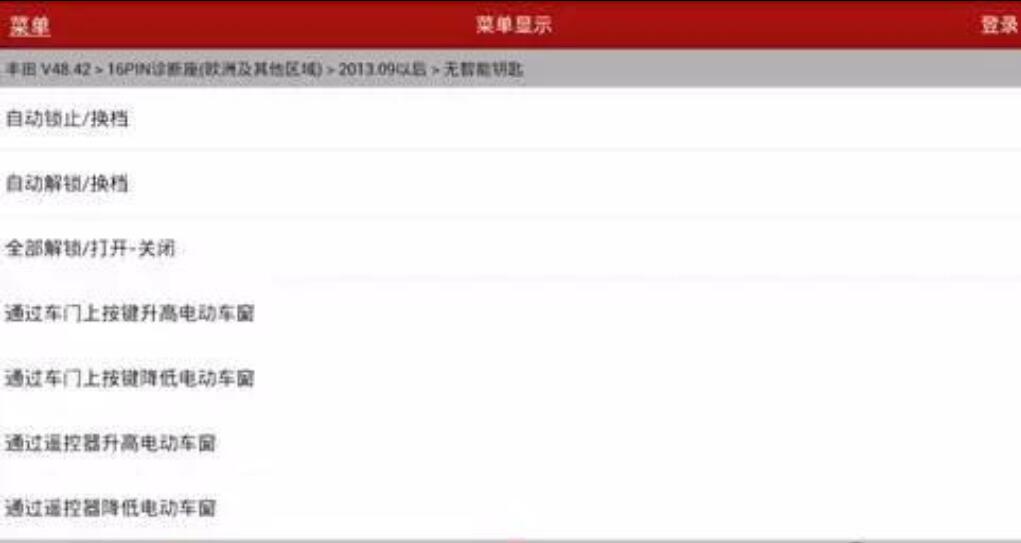
Actual measurement car model is no smart key,select no smart key

Active-Hidden-Function-via-X431-PRO-for-Toyota-Reiz-2015-5

Read vehicle information

Active-Hidden-Function-via-X431-PRO-for-Toyota-Reiz-2015-6

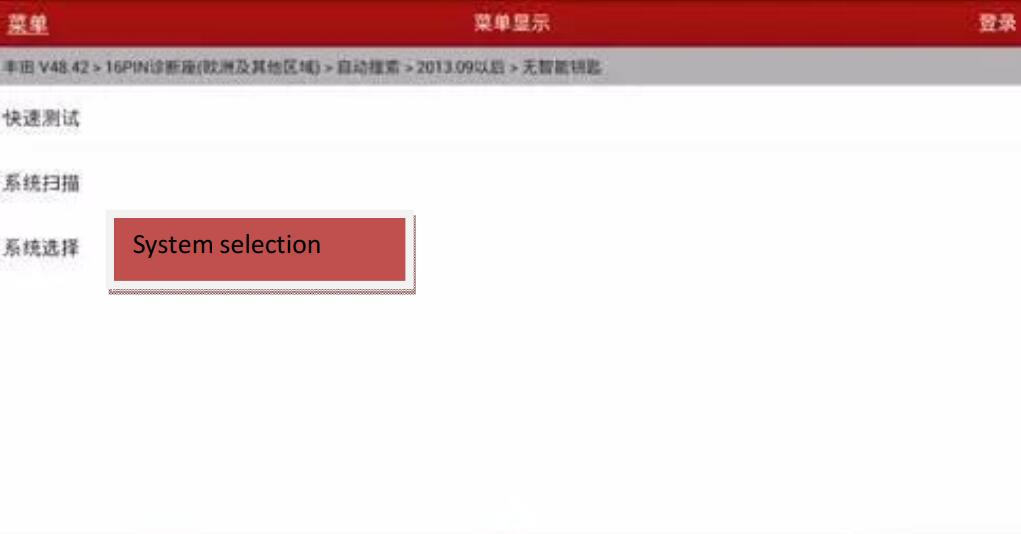
Select system selection

Active-Hidden-Function-via-X431-PRO-for-Toyota-Reiz-2015-7

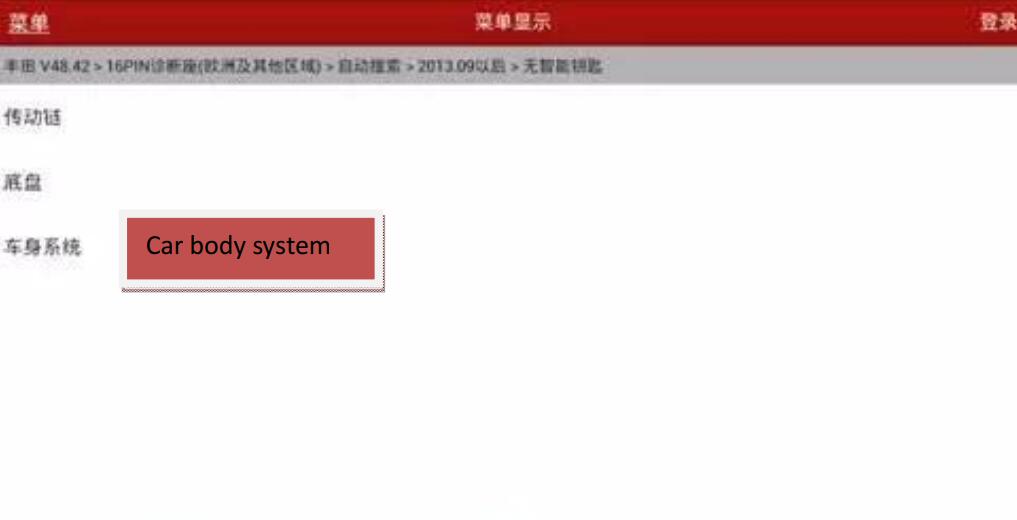
Select car body system

Active-Hidden-Function-via-X431-PRO-for-Toyota-Reiz-2015-8

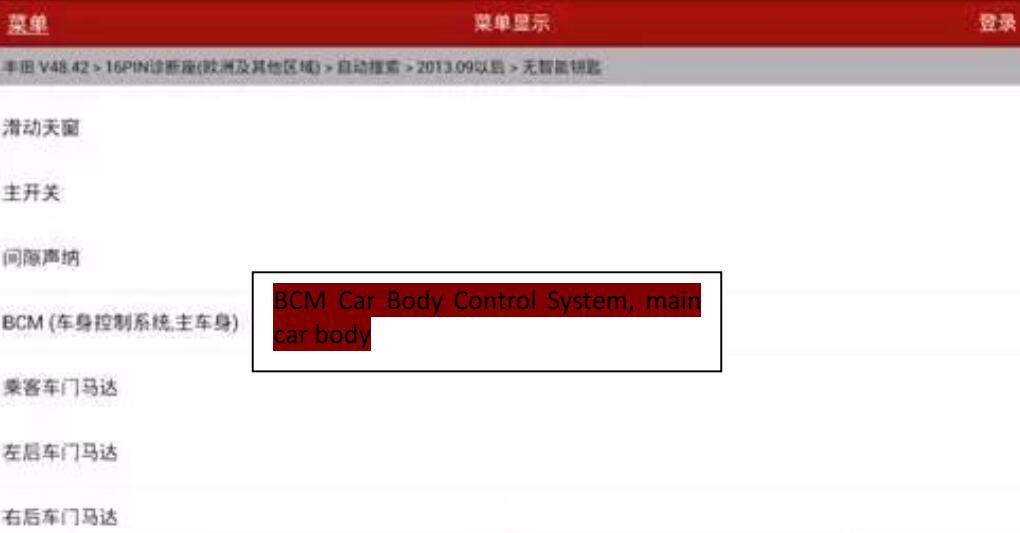
Select BCM(Car Body Control System, main car body

Active-Hidden-Function-via-X431-PRO-for-Toyota-Reiz-2015-9

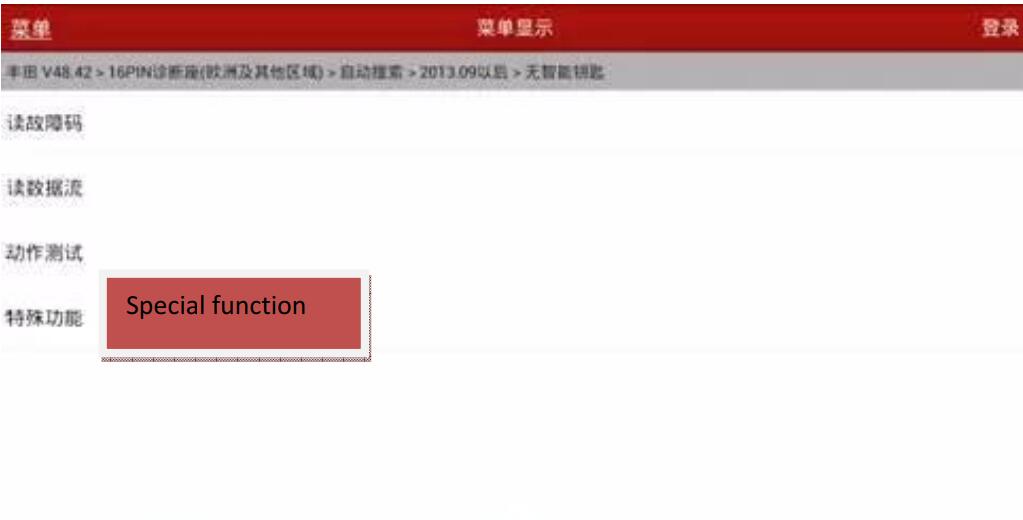
Select special function

Active-Hidden-Function-via-X431-PRO-for-Toyota-Reiz-2015-10

If select“Automatic Scan Special function”, This feature will automatically scan all options for personalized Settings for the diagnostic vehicle
If you select “all special functions”, this feature will display a warning message,The cue shows all the customization options for Toyota cars
Item, not all options are suitable for diagnostic models.

Active-Hidden-Function-via-X431-PRO-for-Toyota-Reiz-2015-11

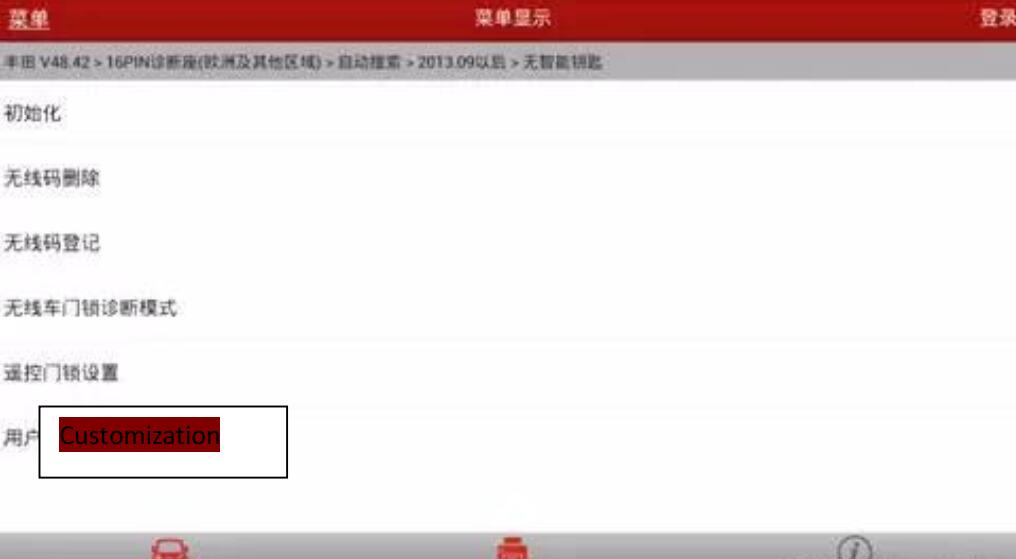
Select customization

Active-Hidden-Function-via-X431-PRO-for-Toyota-Reiz-2015-12

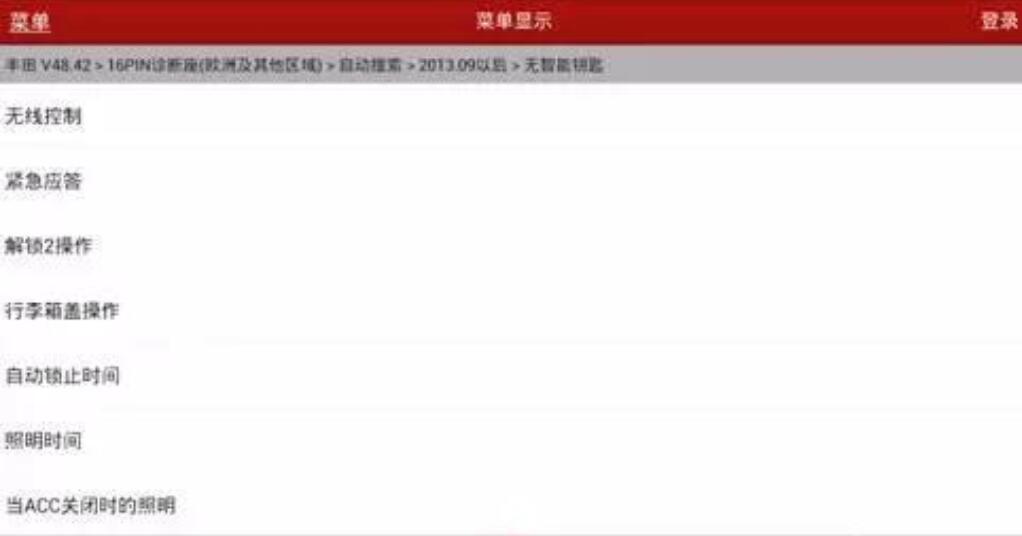
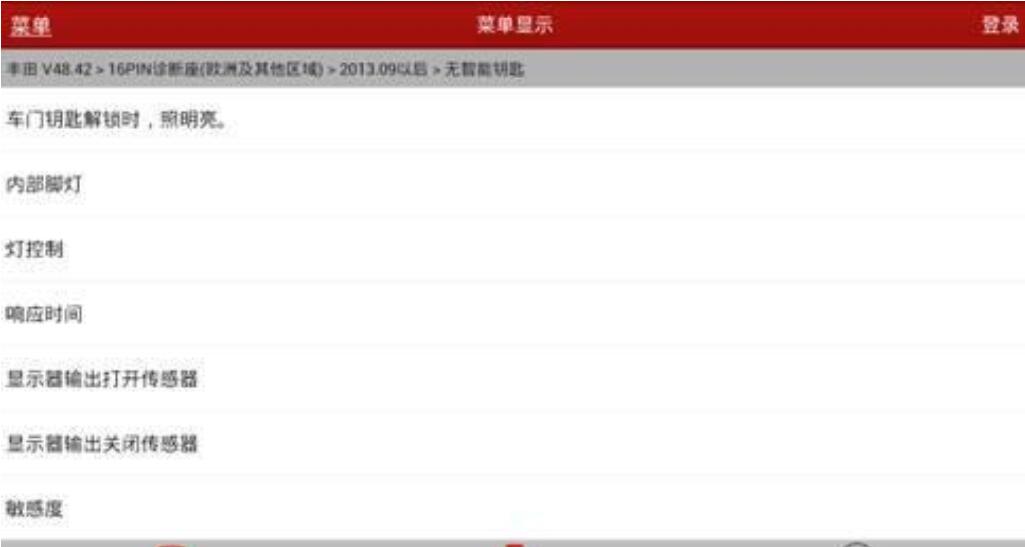
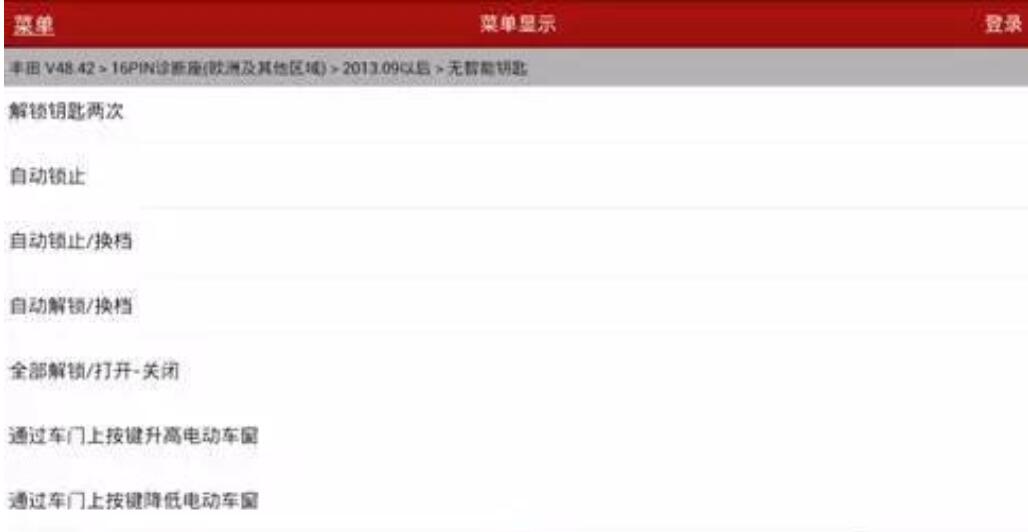
Hidden functions display below:

Active-Hidden-Function-via-X431-PRO-for-Toyota-Reiz-2015-13

Active-Hidden-Function-via-X431-PRO-for-Toyota-Reiz-2015-14

Active-Hidden-Function-via-X431-PRO-for-Toyota-Reiz-2015-15

Active-Hidden-Function-via-X431-PRO-for-Toyota-Reiz-2015-16

If you want to know more cases about Toyota, please refer to Toyota repair.

2021年4月9日星期五

Use Launch X431 Pro Mini Replace Mini Cooper S F55 Brake Pad


Step 1. Diagnosis
This test is diagnosed by Launch X431 pro mini V4.0 version

launch-x431-pro-mini-replace-mini-cooper-s-f55-brake-pad-2
launch-x431-pro-mini-replace-mini-cooper-s-f55-brake-pad-3
launch-x431-pro-mini-replace-mini-cooper-s-f55-brake-pad-4

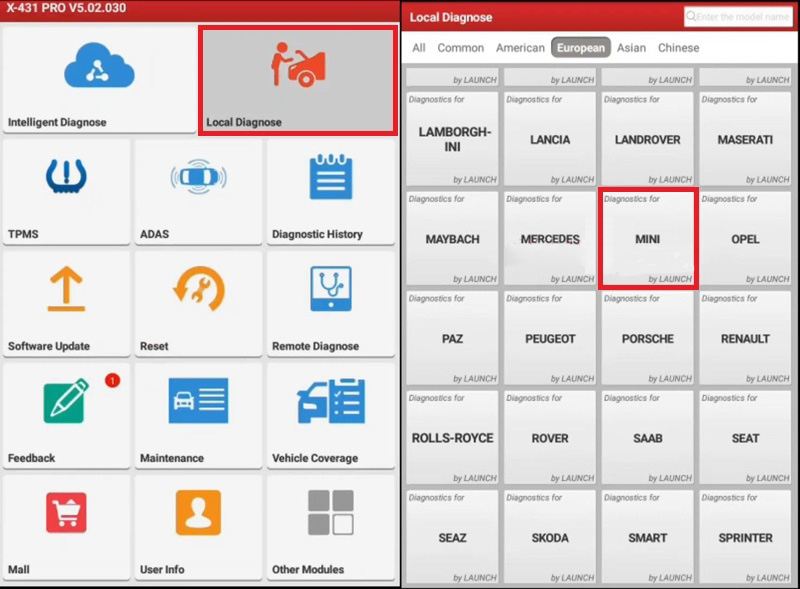
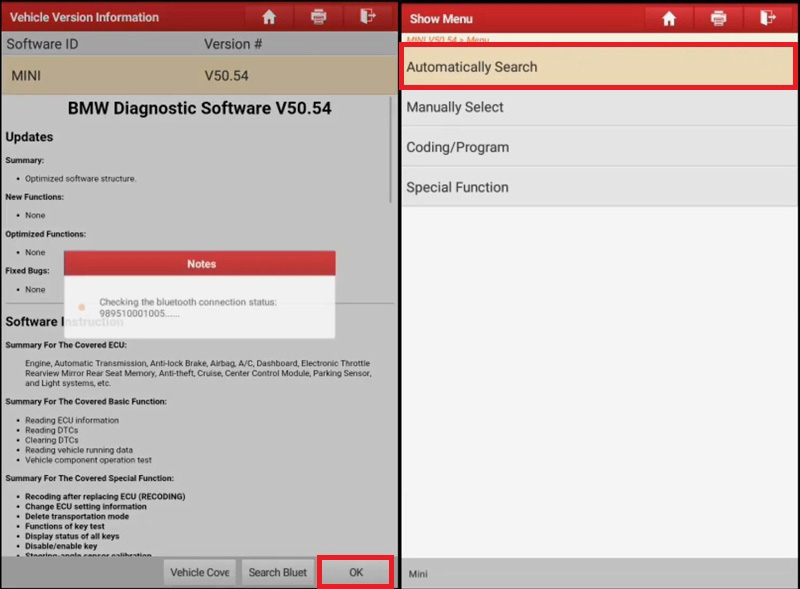
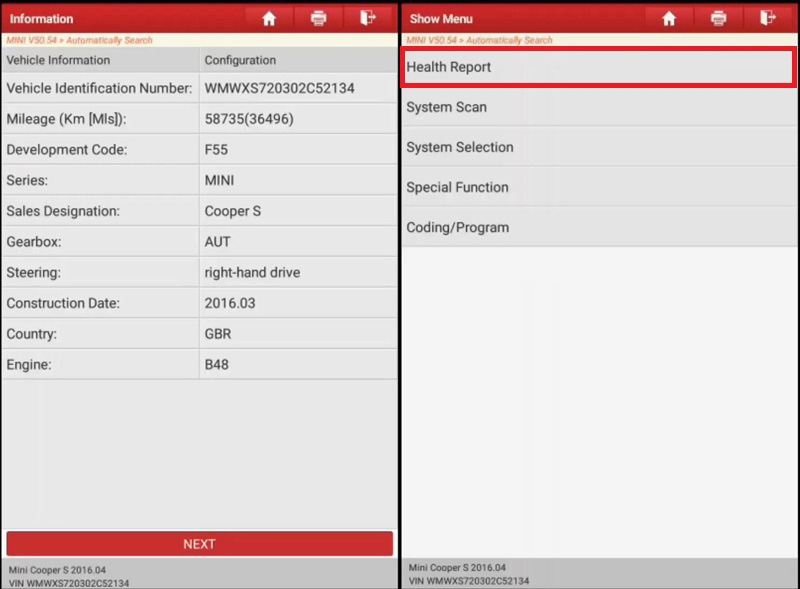
Local diagnose >> MINI >> OK >> Automatically search >> Next >> Health report
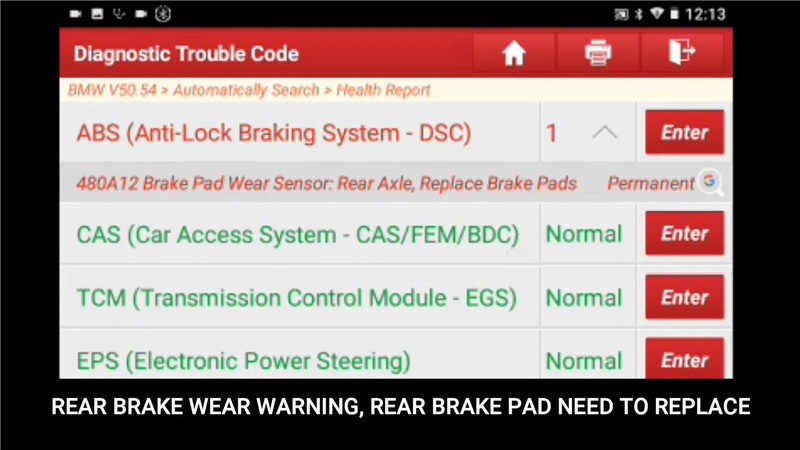
There was a fault code in ABS (Anti-Lock braking system – DSC): 480A12 brake pad wear sensor: rear axle, replace brake pads. The rear brake wear warning means the rear brake pad need to replace.

launch-x431-pro-mini-replace-mini-cooper-s-f55-brake-pad-5

Step 2. Brake pad replacement
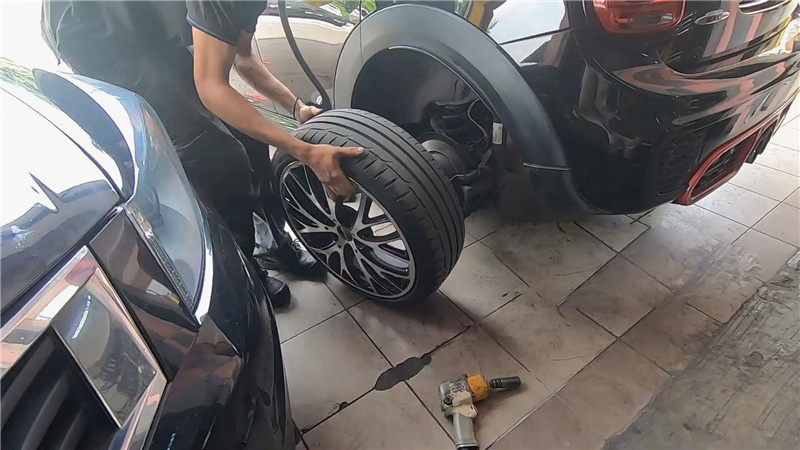
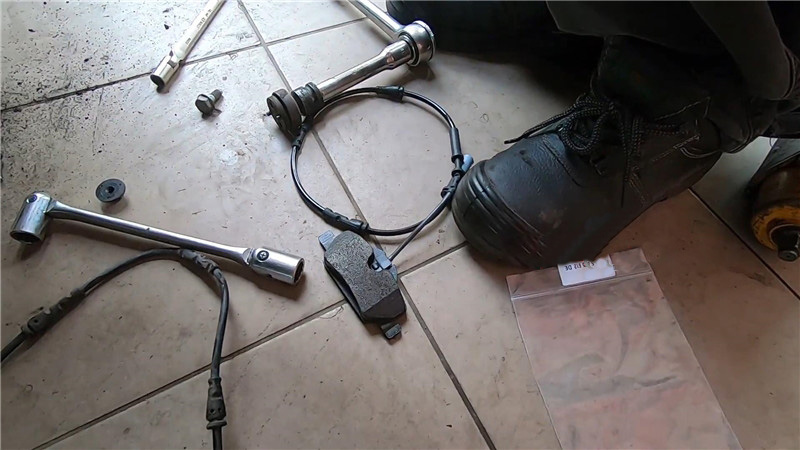
Remove the tire to replace new brake pad and sensor…

launch-x431-pro-mini-replace-mini-cooper-s-f55-brake-pad-6
launch-x431-pro-mini-replace-mini-cooper-s-f55-brake-pad-7

Step 3. Brake reset
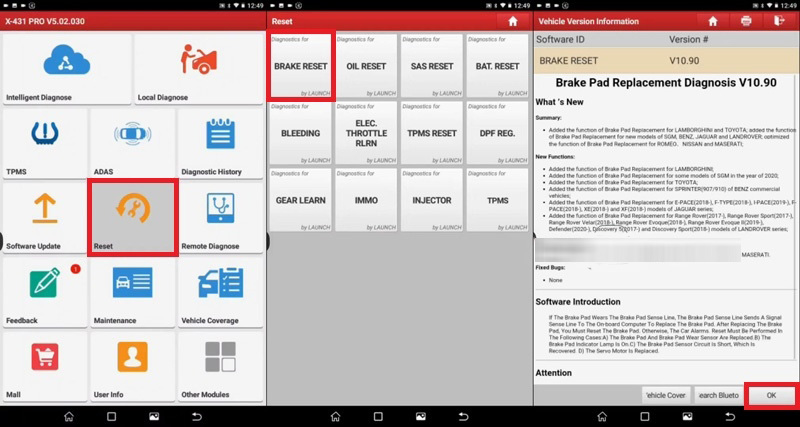
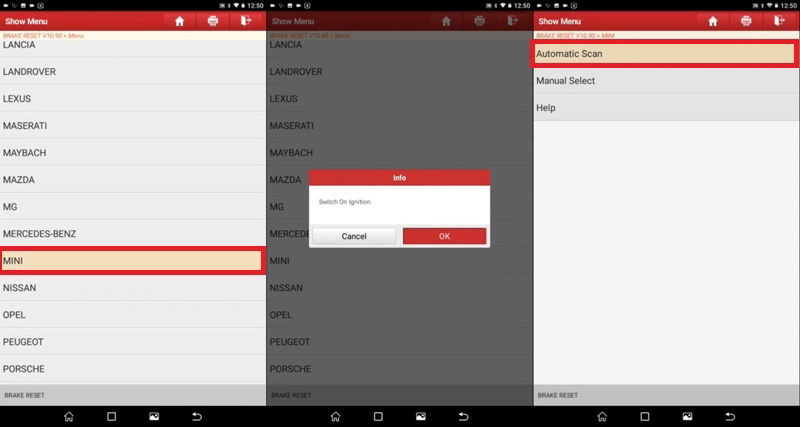
Reset >> Brake reset >> OK >> MINI
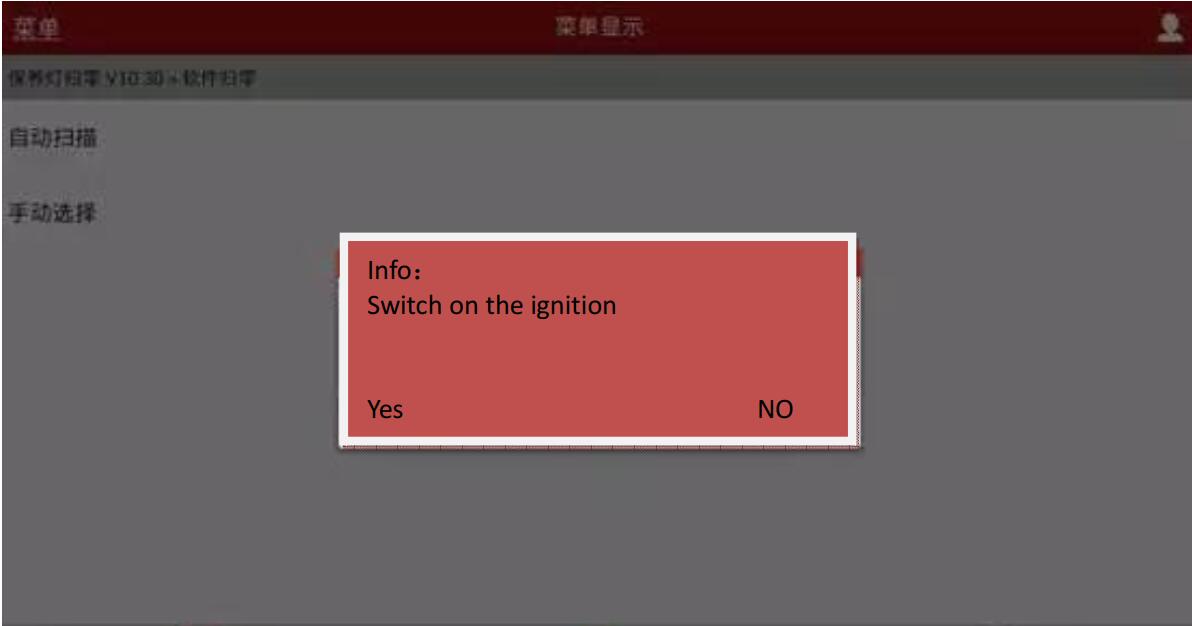
Switch on ignition, press “OK”.
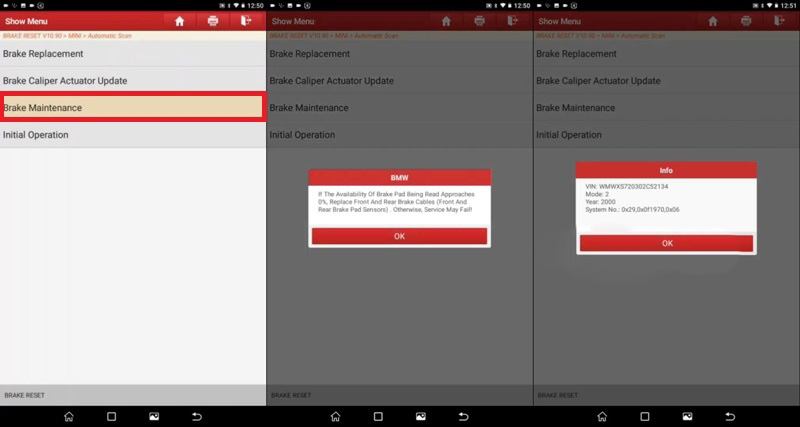
Automatic scan >> Brake maintenance >> OK >> OK

launch-x431-pro-mini-replace-mini-cooper-s-f55-brake-pad-8
launch-x431-pro-mini-replace-mini-cooper-s-f55-brake-pad-9
launch-x431-pro-mini-replace-mini-cooper-s-f55-brake-pad-10

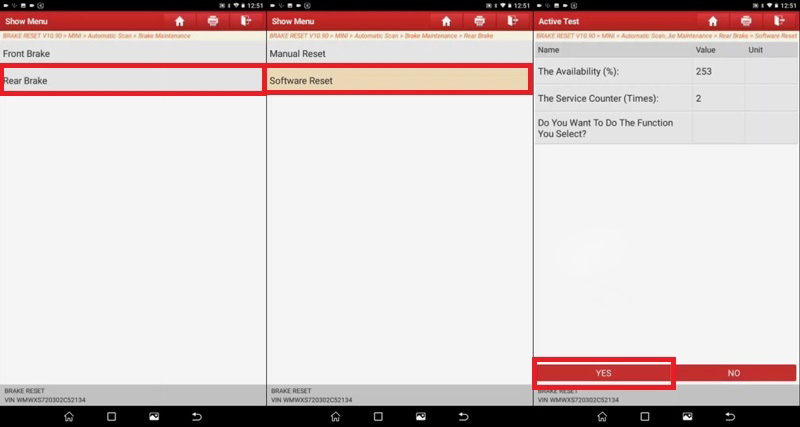
Rear brake >> Software reset >> Yes >> OK
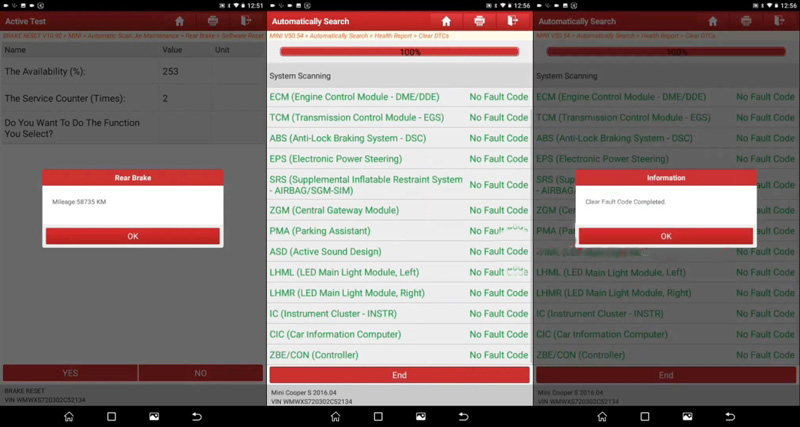
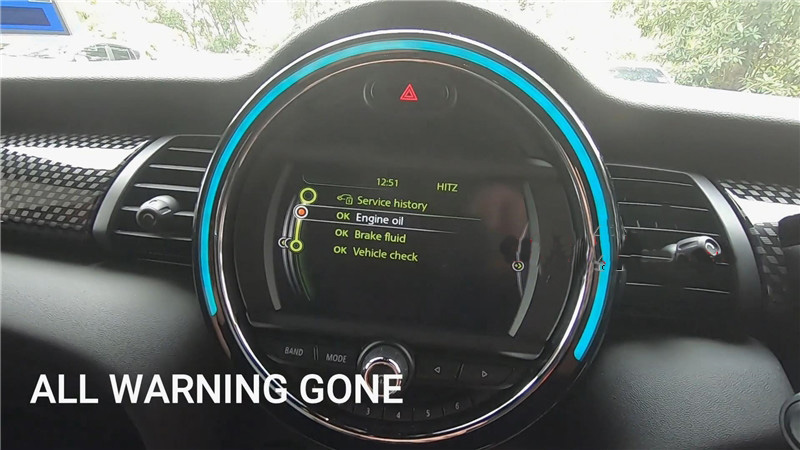
Now go back to diagnose again and clear DTCs in health report, clear fault codes completed. The rear brake pads warning light has gone.

launch-x431-pro-mini-replace-mini-cooper-s-f55-brake-pad-11
launch-x431-pro-mini-replace-mini-cooper-s-f55-brake-pad-12
launch-x431-pro-mini-replace-mini-cooper-s-f55-brake-pad-13

It is applied to Launch X431 V and Launch X431 V+ diagnostic scanner as well.