2020年7月6日星期一

How to use XTOOL X100 PAD 2 to program Citroen C4 new key

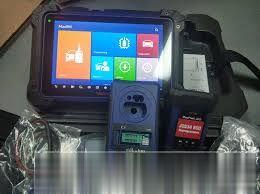
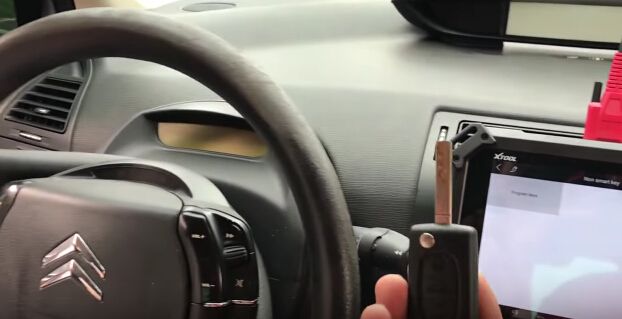
Hi mates! We newly tested XTOOL X100 PAD 2 program Citroen C4 new key successfully! So share the operating steps here for your reference.

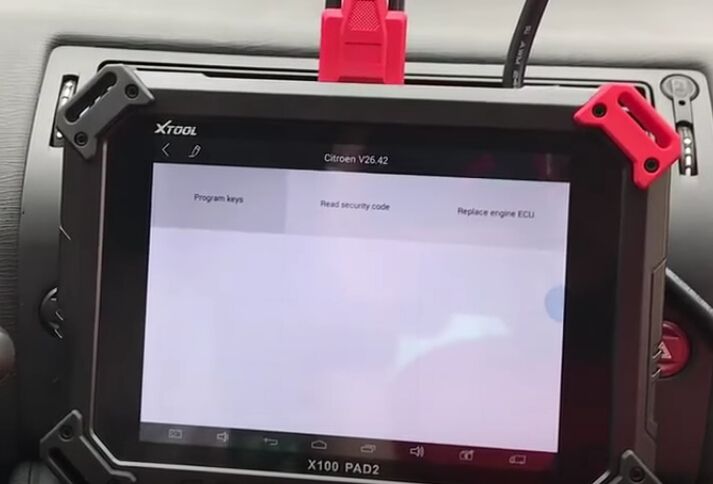
Step1. Connect XTOOL X100 Pad2 with Citroen C4 via car OBD port. Choose “Immobilization” then select “Citroen” and “Citroen V26.42”.
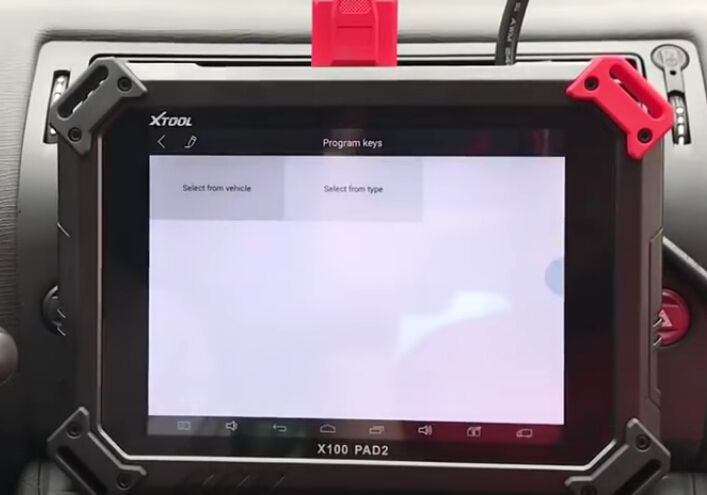
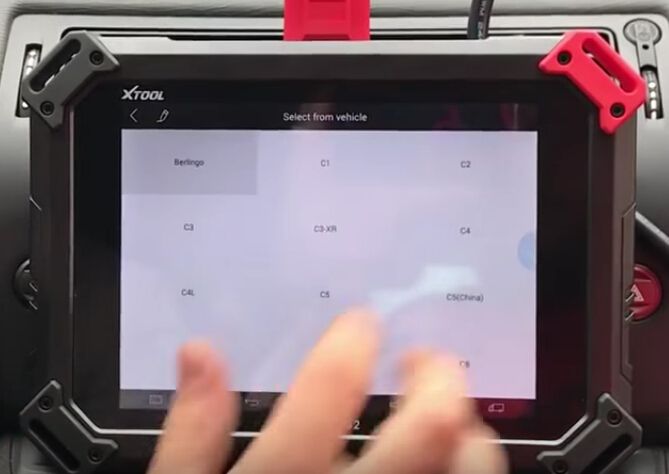
Step2. Hit “Program keys”, “Select from vehicle” then choose “C4”.


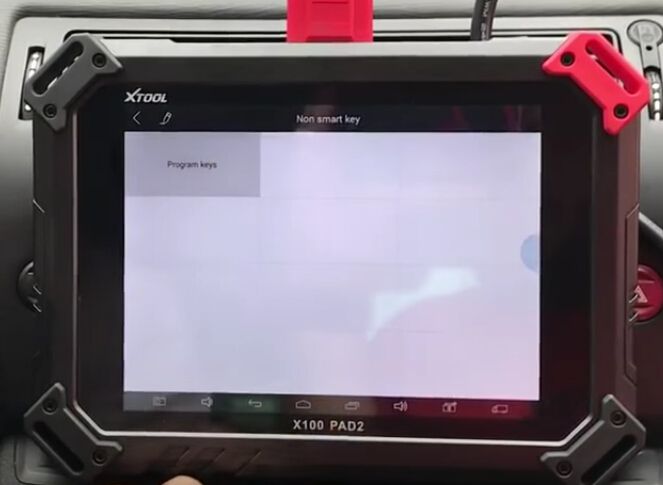
Step3. There are two options on C4 menu: “Non smart key” and “Smart key”. Choose “Non smart key” then “Program keys”.

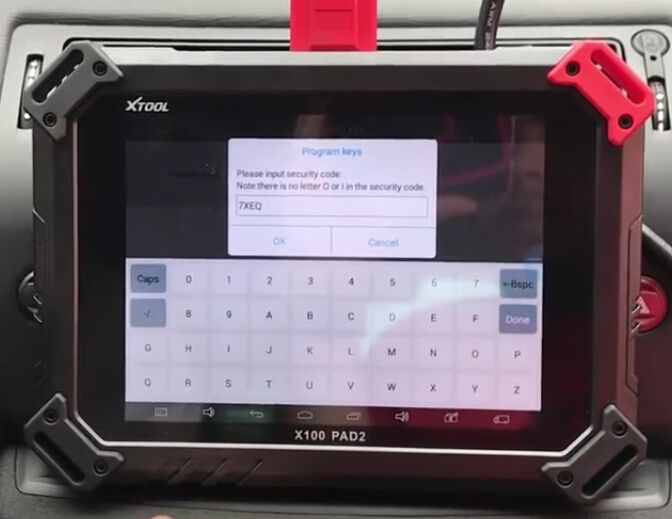
Step4. It remind you if continue all keys will be erased and you should enter correct pin code. Hit “OK” then “Yes” to confirm.
Enter the pin code “7XEQ”.

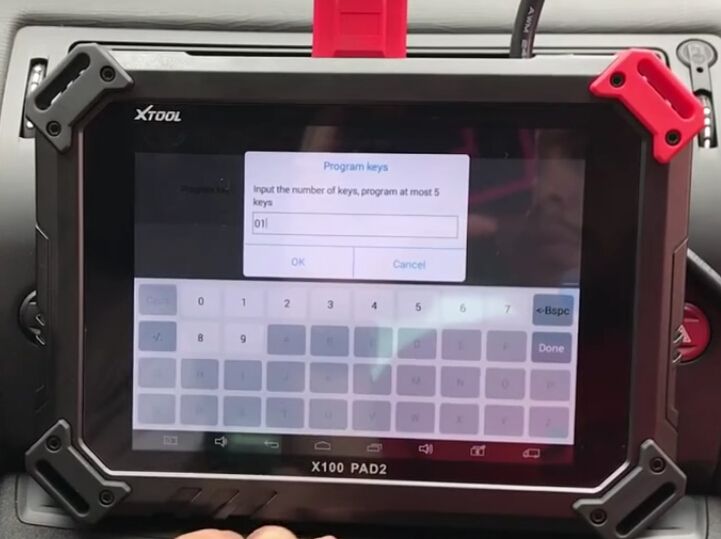
Input the key number you want to program.

Step5. Now follow the tip, turn ignition off then insert the new key in 15 seconds to turn ignition on.
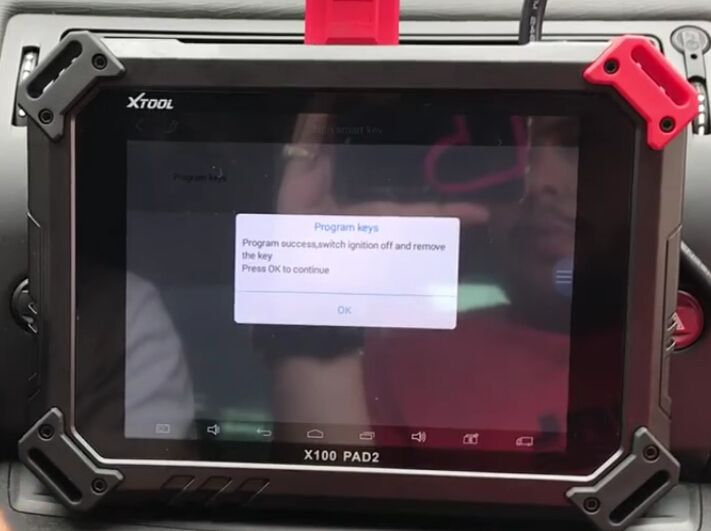
Program success! In this way you can add Citroen C4 new key by using XTOOL X100 PAD2 Tablet Key Programmer!


2020年6月15日星期一

Launch ThinkDiag Control Engine & Test Engine Speed

thinkdiag-control-engine-test-engine-speed-2 (2)
Launch Thinkdiag is a very powerful and professional OBD2 full system diagnostic tool. It comes with 15 kinds of reset functions, can be used for 115 kinds of car software. It will become the best assistant for car DIYers. Here will show the guide to control engine and test the engine speed by ThinkDiag.
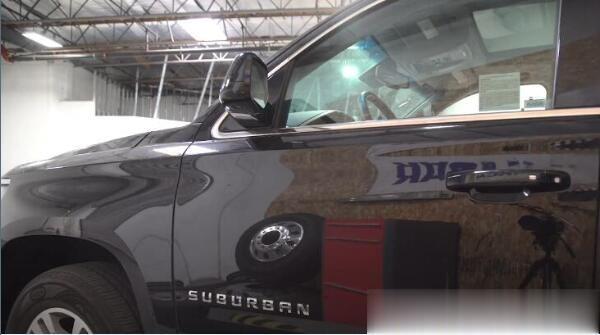
Car: 2015 Chevrolet Suburban
thinkdiag-control-engine-test-engine-speed-1 (2)
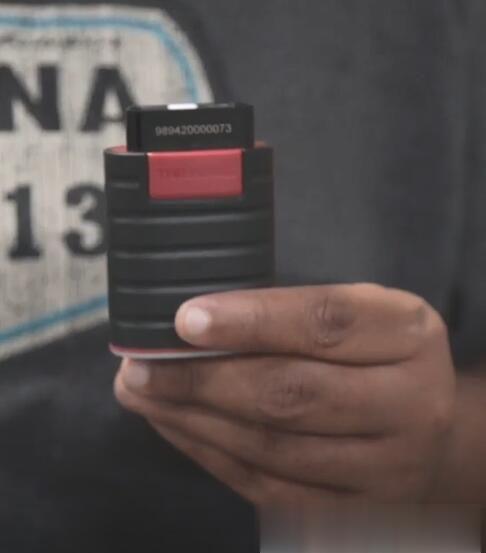
Device: Launch Thinkcar Thinkdiag OBD2 full system code scanner
thinkdiag-control-engine-test-engine-speed-2 (2)
It’s very easy to do with Thinkdiag.
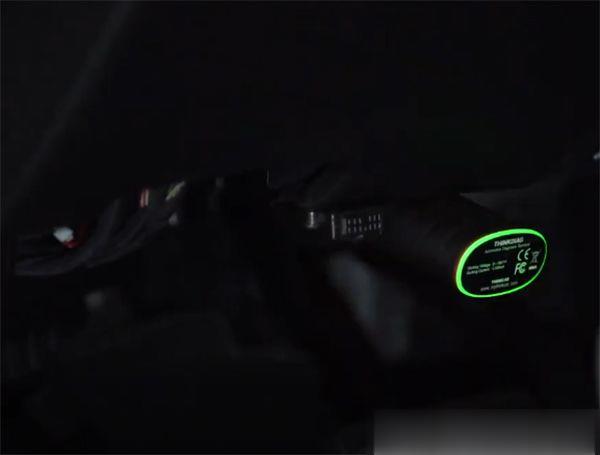
Plug the ThinkDiag device into OBDII port in your vehicle
When you hear the beep and see the green light on the ThinkDiag device that indicates the device is connected alright.
thinkdiag-control-engine-test-engine-speed-3 (2)
Turn on the ignition switch
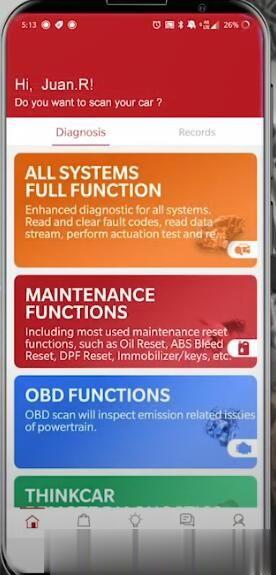
Open ThinkDiag APP-> Select ALL SYSTEMS FULL FUNCTION
thinkdiag-control-engine-test-engine-speed-4 (2)
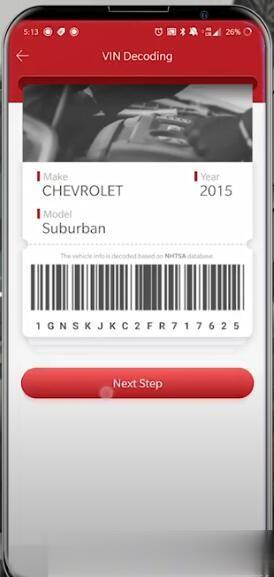
Connect Bluetooth automatically and will scan the vehicle’s VIN number quickly
Read out the car make, model, year and VIN
Then press Next step to continue
thinkdiag-control-engine-test-engine-speed-5 (2)
1.Control Engine:
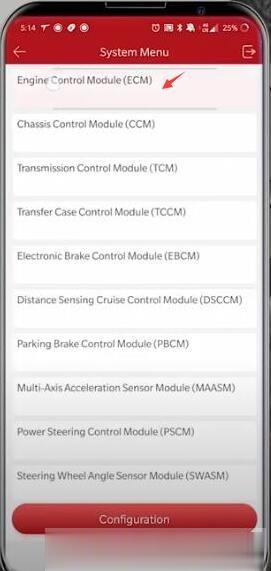
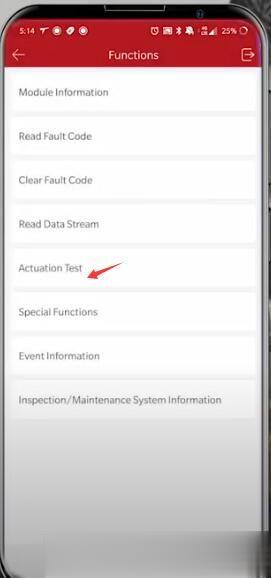
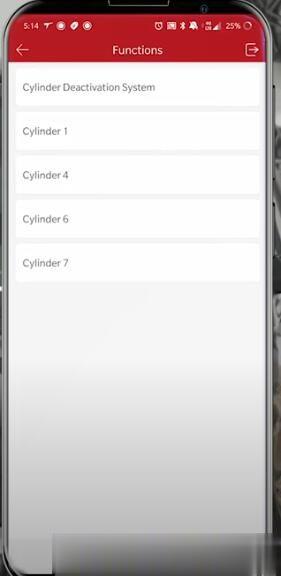
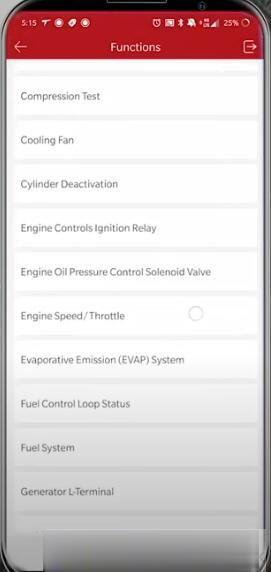
Select System Selection-> Engine Control Module (ECM)-> Actuation Test-> Cylinder Deactivation
thinkdiag-control-engine-test-engine-speed-6 (2)
thinkdiag-control-engine-test-engine-speed-7 (2)
thinkdiag-control-engine-test-engine-speed-8 (2)
If you’re having an issue with your vehicle, you can test each center cylinder individually
thinkdiag-control-engine-test-engine-speed-10 (2)
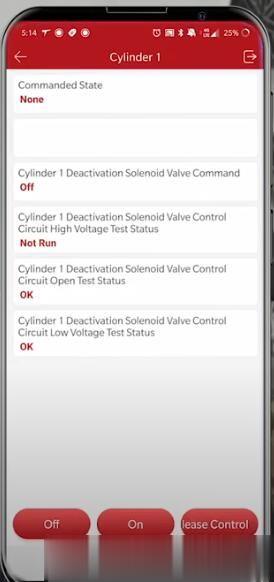
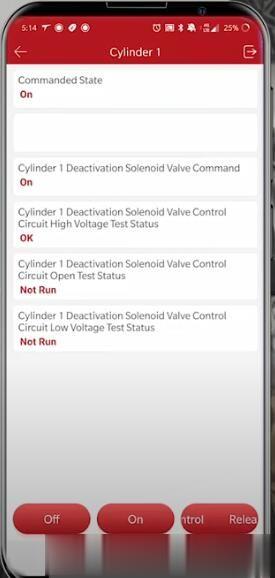
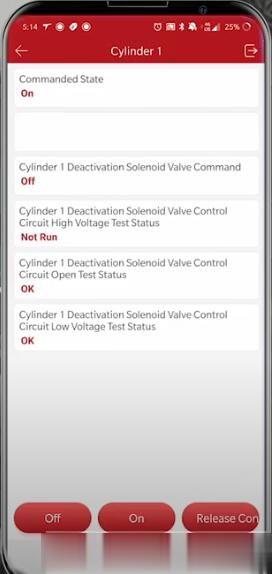
Control cylinder 1
Operate by the Off or On button at the bottom of the screen
thinkdiag-control-engine-test-engine-speed-11 (2)
thinkdiag-control-engine-test-engine-speed-12 (2)
thinkdiag-control-engine-test-engine-speed-13 (2)
Other cylinders operation guides are the same as cylinder 1.
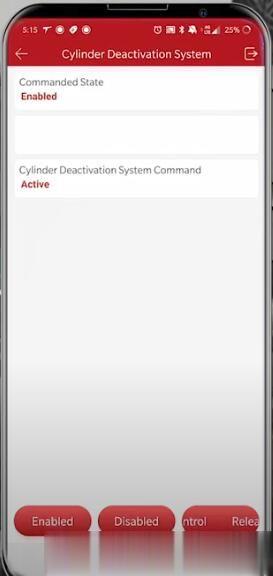
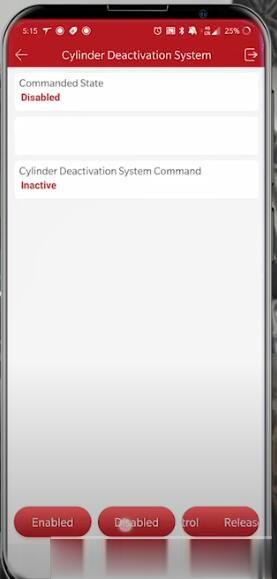
Control cylinder deactivation system
Press Enabled or disabled button at the bottom of screen to operate
thinkdiag-control-engine-test-engine-speed-15 (2) thinkdiag-control-engine-test-engine-speed-16 (2)
thinkdiag-control-engine-test-engine-speed-16
2.Test Engine Speed:
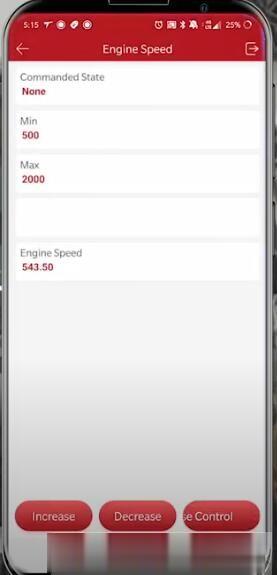
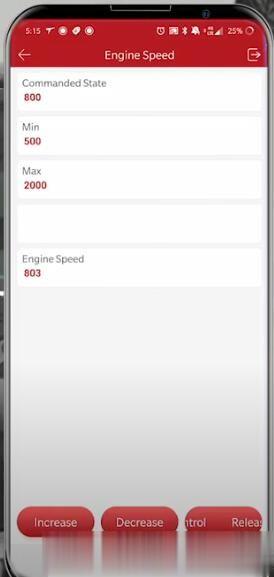
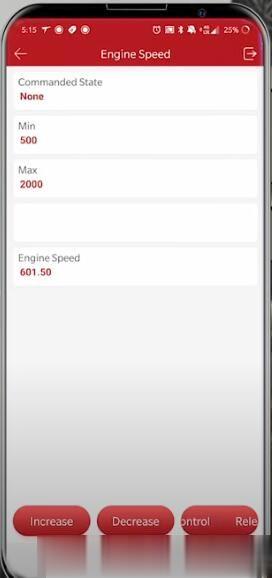
Back to Actuation Test menu, select Engine Speed/Throttle-> Engine Speed
thinkdiag-control-engine-test-engine-speed-17 (2) thinkdiag-control-engine-test-engine-speed-18 (2)
Use increase or decrease button to adjust speed depends on your need
thinkdiag-control-engine-test-engine-speed-19 (2)
thinkdiag-control-engine-test-engine-speed-20 (2)
thinkdiag-control-engine-test-engine-speed-21 (2)
Done!
FYI…

Autel MaxiIM IM608 Reviews & FAQs

Here have collected the newest customer reviews and frequently asked questions about Autel IM608 auto key programmer.
autel-im608-reviews-faqs-1 (2)
Autel MaxiIM IM608 FAQs:
Q: Can autel IM608 support VW and Audi MQB all models blade key all keys lost via OBD now?
A: Yes. The function has been added in the newest V4.1 VW/Audi. No need to take of any module. And the software is free, only need to pay usage fee 30 dollars for each car.
Q: Does IM608 support Italian?
A: Yes. The default language is English. You can provide your device S/N to dealer to change to Italian or other languages such as German, Swedish, Portuguese, French, etc.
Q: IM608 support Toyota Camry 2018-2020 smart key all keys lost?
A: Yes.
Q: Can Autel Scanner im608 support all keys lost or add new key to BMW X6 2015 Vin # 5UXKU2C56F0F96449 via OBD?
autel-im608-reviews-faqs-2 (2)
A: It can do for FEM/BDC Immobilizer system.
Q: Is it possible to change second BMW ECU by im608?
A: No, it isn’t.
Q: Will Autel IM608 support BENZ or BMW ECU programming online?
A: No.
Q: Can I adjust mileage for my BMW car by im608?
A: No, you can’t.
Q: Does it need to pay update fee for online programming after one year?
A: Yes.
Q: Can I continue to use IM608 if I don’t pay for it after one year for free update?
A: Yes, but you cannot enjoy the update service.
Q: Car: Toyota Corolla 2004, 1.4 petrol , chassis no. JTDKM22XOO41107
Function: all keys lost
Can IM608 support?
A: It needs to check the key chip models. Most of chips can be supported.
Q: If the free update date expired, can im608 still program Toyota all smart keys lost with the smart emulator?
A: Yes.
Q: It prompts that unable to connect the server when use im608 on ford 2018 dodge Durango?
A: Please check the network connection.

Autel MaxiIM IM608 Customer Reviews:
Review 1: Key programming. You can add and do all keys lost
Wonderful and powerful diagnostic and programming tool! i used this autel im608 scanner to do a 2013 C230 all key lost in 30 minutes thru OBD2.
Review 2: Good for GM & Ford key programming and Chrysler diagnosis!
I recently purchased an Autel MaxiIM608 programming diagnostic tool. At first, I was a bit skeptical since I had always used another brand. I was looking for a tool that would help diagnose and program ECU’s as well as program today’s modern key types, without breaking the bank. After doing a bit of research I decided to go ahead and purchase the Autel MaxiIM608 unit. To me the Autel meets all my needs and more. This Autel MaxiIM608 has the potential to be one of the best diagnostic tools on the market. It has currently helped me with GM and Ford key programming and Chrysler diagnostics. I am even starting to look into working on the European line. I feel I am just scratching the surface of what this Autel is capable of accomplishing. There are two things I feel that would make it better and that is possibly having access to in depth training videos and maybe improving the storage case to have actual hinges.
Thanks Autel for another excellent product. Keep them coming.
autel-im608-reviews-faqs-3 (2)
Review 3: Program keys perfectly!
I use this im608 device to program a key witch it’s working perfectly, also it’s good for diagnostic to. This is the second my autel scanner, the first one it is autel elite pro.
Review 4: Works good, very easy to use
Great scanner and easy to use! This was well worth the investment. The price was great. I highly recommend this IM608. It is equipped with XP400 key programmer and Maxi Flash ECU programmer to provide coverage of IMMO and programming functions.
In a word, Autel IM608 is professional key programming and ECU coding tool which can be used in all EU countries without IP blocking problem.

2020年6月1日星期一

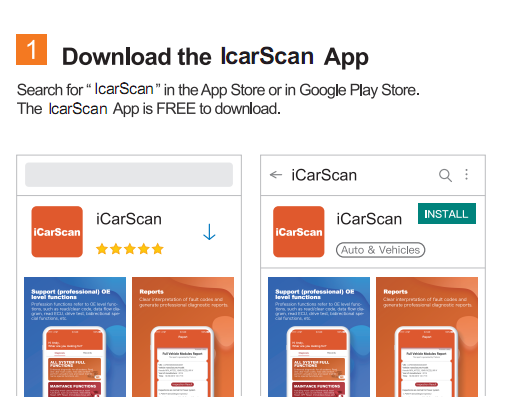
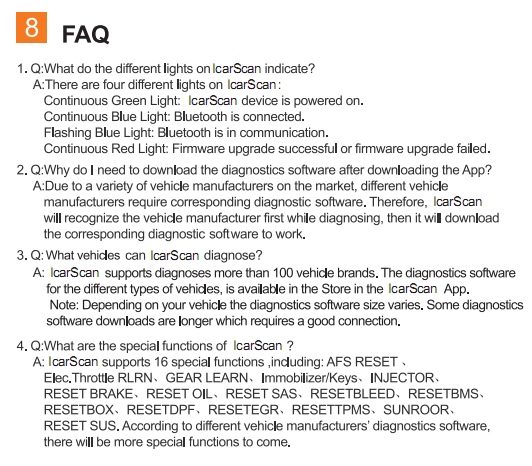
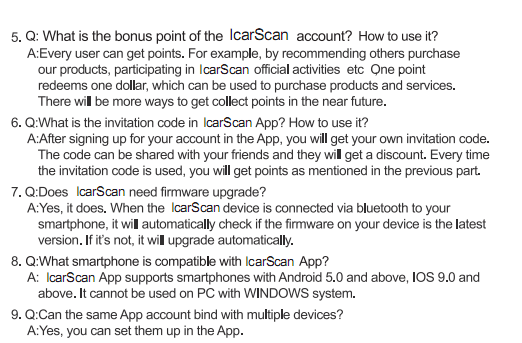
2020 LAUNCH ICARSCAN User Manual download

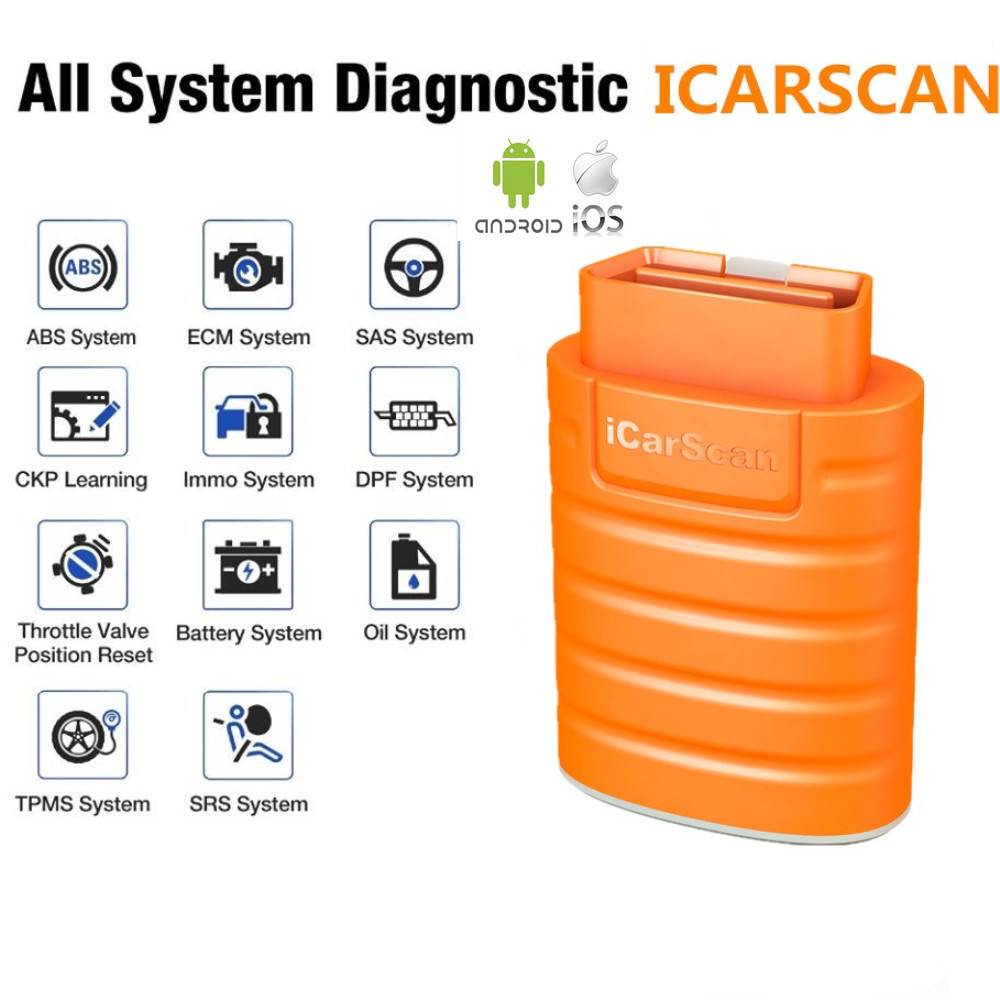
LAUNCH ICARSCAN Perfect Replacement for LAUNCH X431 Easydiag 3.0/ Launch THINKCAR THINKDIAG , contain all function of obd2 code readers. ICARSCAN work better and run faster than X431 idiag ,easydiag and m-diag. This is a Intuitive interface and easy to use.
What is the Advantage of  LAUNCH ICARSCAN :
1.ICARSCAN – the fastest diagnosis
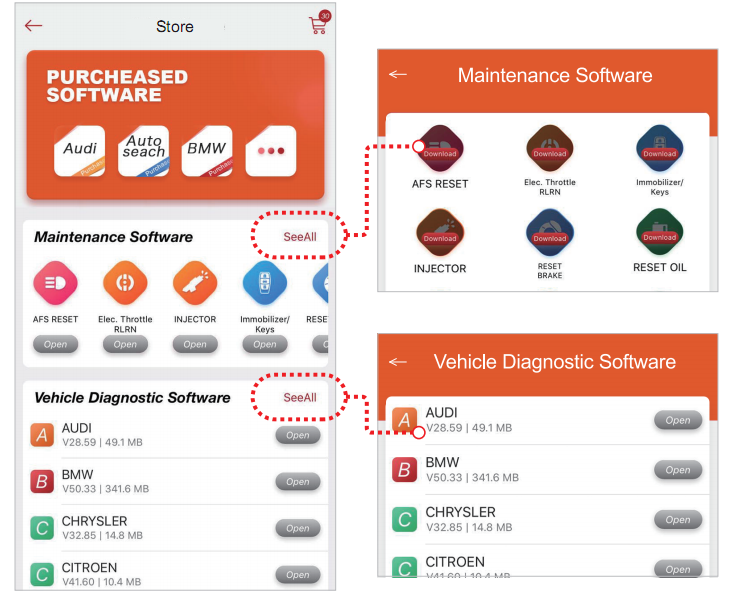
2.ICARSCAN – Configure the most diagnostic software,Free to choose 7 software ( Free to download any 5 Car Software & Special Function Software)
3.ICARSCAN – Professional car diagnostic tool,designed for vehicle maintenance technicians, have a more powerful diagnostic function
4.ICARSCAN – Compatible with Andriod and IOS devices
5.ICARSCAN – Widest carline software coverage: Support the generic OBD, CAN bus, and proprietary protocols of over 115 car manufacturers and 3,000 car models
6.ICARSCAN – Support multiple special functions and actuation tests incl.Oil / Service reset, ABS bleeding, IMMO & key programming, throttle body adaptation, brake pads,steering angle reset,battery matching, DPF regeneration and Injector coding
7. ICARSCAN – Professional engineers provide secure technical support.
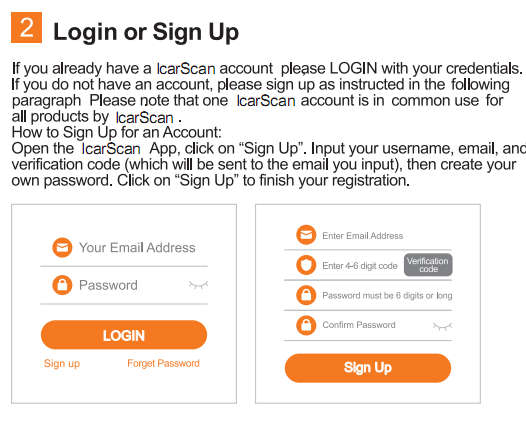
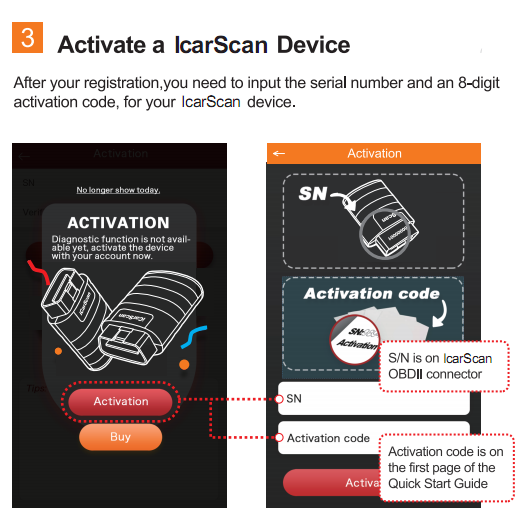
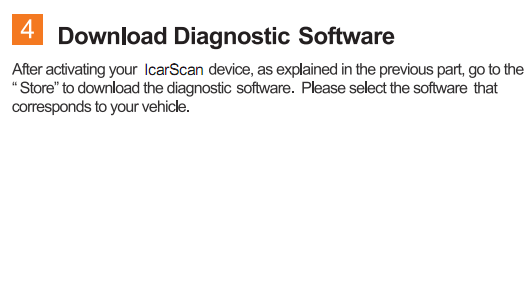
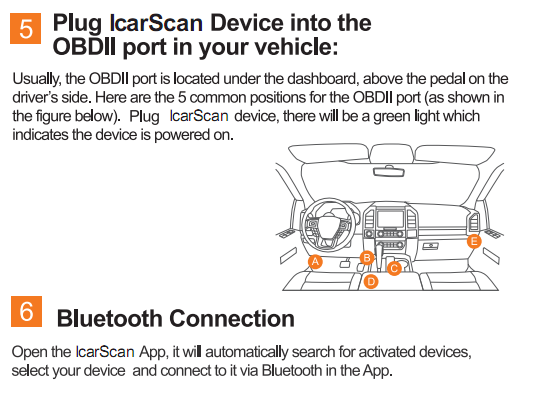
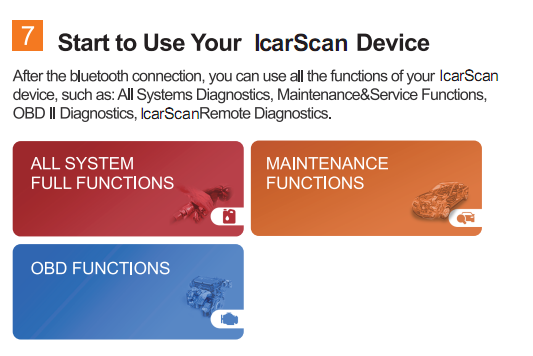
How to use LAUNCH ICARSCAN Bluetooth Adapter ?


Lonsdor K518S K518ISE Key Programmer FAQ

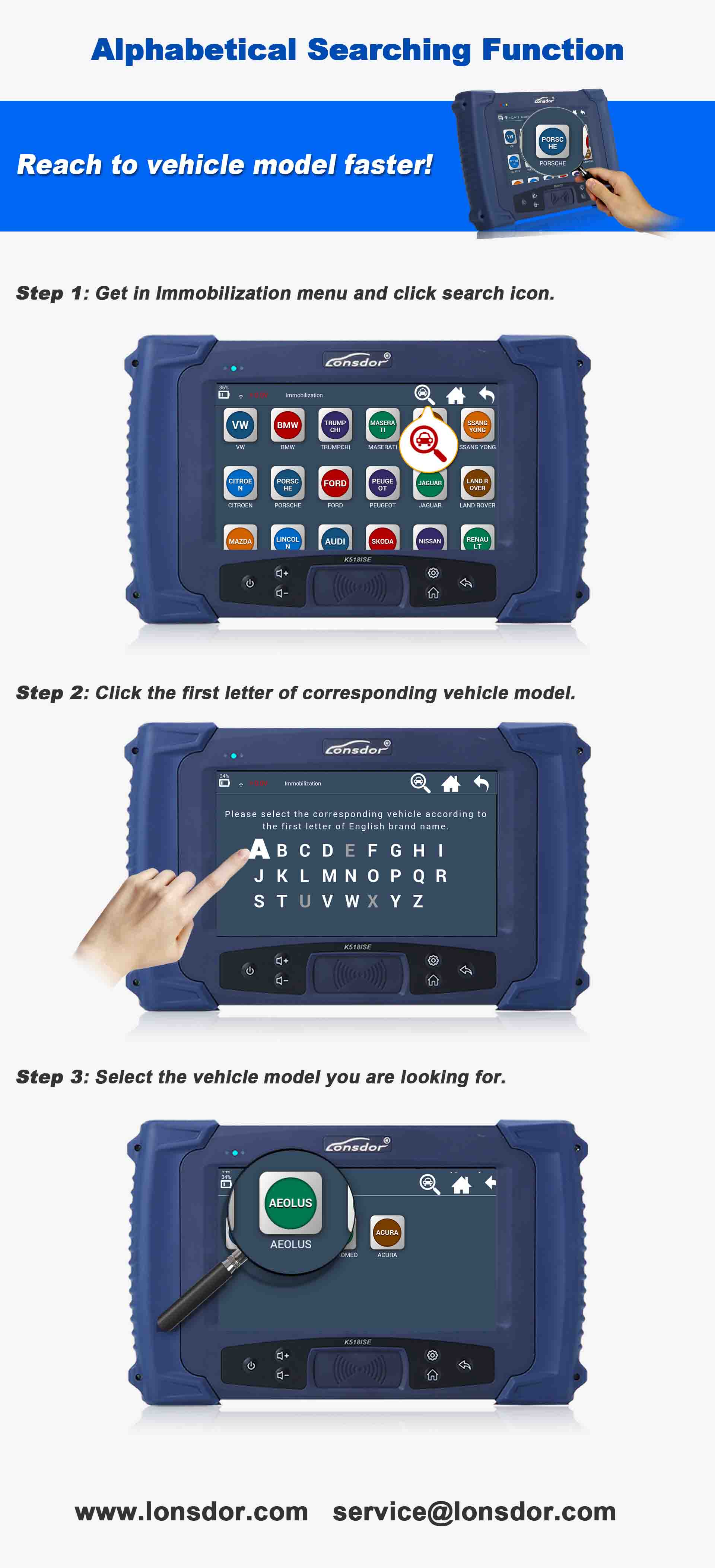
1.Lonsdor K518S Alphabetical Searching Function
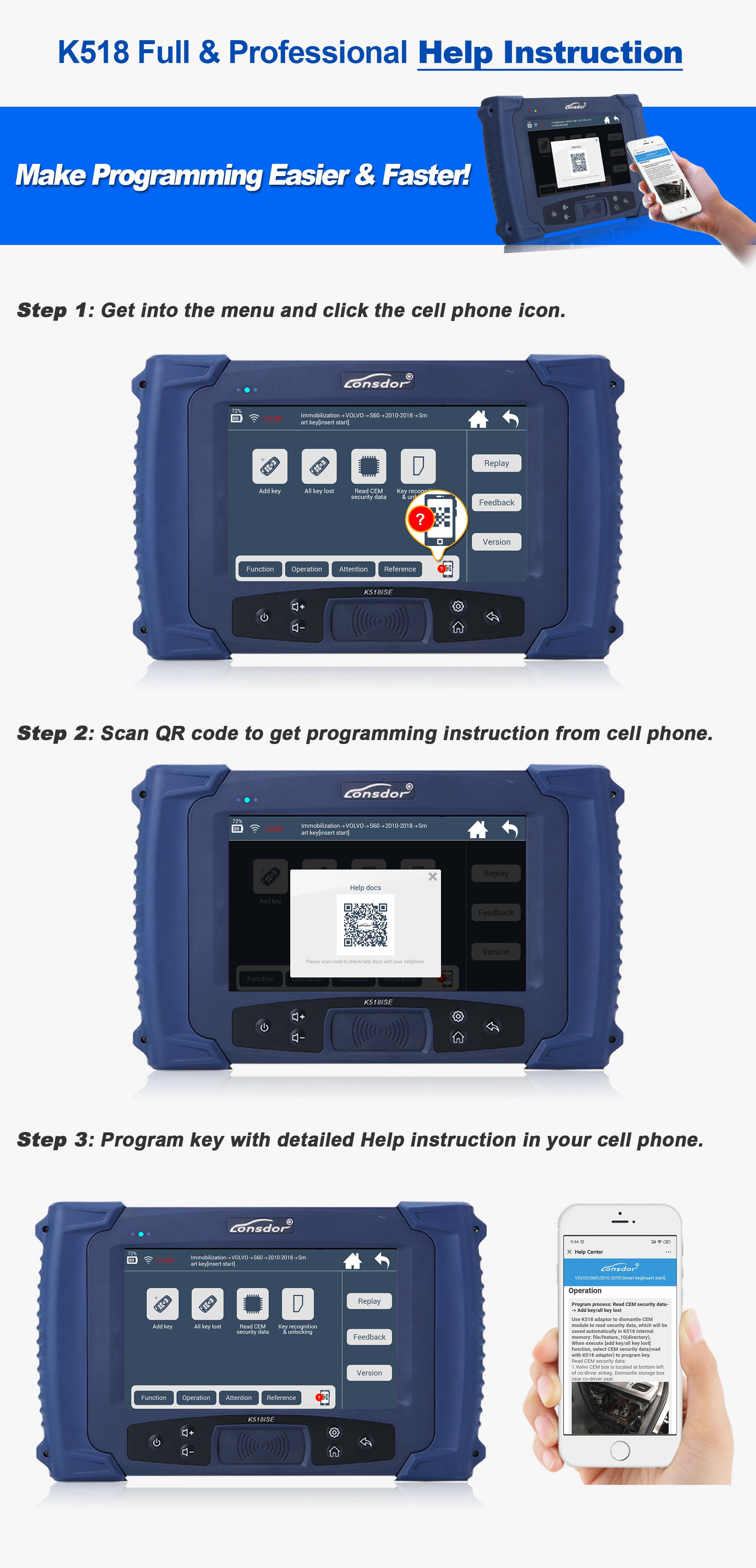
2.K518 Full & Professional Help Instruction
3.Lonsdor K518ISE Special Features
1).Volvo (S40/S60/S80/V40/V60/V70/C30/C70/XC60/XC70/XC90) full version (mechanical key, smart key, keyless-go) key programming
2).Toyota/Lexus smart key all lost offline via OBD with 5-in-1 LKE emulator (94/D4、98、39、88/A8、A9),
3).BMW CAS1/CAS2/CAS3/CAS3+/CAS3++/CAS4/CAS4+/FEM/BDC key programming
4).Mitsubishi all key lost via simulate chip with LKE emulator
5).Mazda latest model of smart key programming w/o PIN code
6).Volkswagen/Audi/Skoda/Seat – MQB platform key programming & odometer adjustment
7).Hyundai/KIA – 46 chip/ 46 smart key/ 47 smart key/ 8A smart key / read PIN code
8).Peugeot/Citroen/DS – read PIN code & add key or all key lost for most of models
9).Renault Latitude / Fluence key programming w/o 32-bit PIN code
10).Smart 453 – read PIN code & key programming
11).GM series 2010-2018 – support more than 80% models via read PIN code from BCM
12).Subaru all key lost via OBD reset PEPS
13).Land Rover and Jaguar key programming via OBD – support FK72/HPLA KVM version
14).Ferrari (458, F12, F149) – key programming via OBD
15).New Ssangyong series key programming w/o PIN code
16).Maserati (2017) smart key programming—-support Levante, Ghibli, Quattroporte
17).Generate dedicated key chip – 4D, 46, 48, T5, 7936

4.Solutions for Device Error
Cannot Connect to Vehicles:
①Make sure the OBD cable is the original one;
②Make sure the model is supported by the device;
③Make sure the vehicle and the device are well connected.

Code Prompts:
①“Device Fault 31”, “Device Fault 9FFF”, “Device Fault 0”, “Chip initialization failed: code 030000”, “Chip initialization failed: code 030124”, “Receive timeout, fault 9FFF”:  Contact after-sales for repair;
②“Device Fault 26”:  Repair by the file;
③“Run APP failed, succeed to execute APP”: Force to update.

SKE Emulators Error:
①Red light comes alive: Contact after-sales for repair.
②“Write key failed”: Take out the board and change inductive positions, then bind SKE/generate SKE again.

KPROG Adapter Error:
①“Run APP failed: BA”: Bind the adapter according to device prompts (Settings→Bind Adapter).
②“Failure 2-6-fffffff”, “Failure 1-5-9fff”, “Failure 1-5-ffffffff”, “Fail to load: communication timeout 9FFF”:
Update firmware and see what the device shows. If it shows “Download successfully”, bind the adapter/read data again.
If it shows “GOTO REGION ERROR”, change a KPROG cable will solve the problem.
③“Code -35”, “Code -113”: Clean up insulating glue on the board and read data again; check wiring/soldering,shorten wires (Wires are supposed to be shorter than 15cm).
④“Code -102” when reading Volvo KVM data: Read data by another tool, such as VVDI.
⑤“Failed to load, succeed to execute APP”, “Failed to load, unknown error”:
Update firmware and install the adapter according to device prompts, then bind the adapter/read data again.
⑥“GOTO REGION ERROR 0031” when updating firmware: Contact aftersales for repair.

Want to know the difference between Lonsdor K518S and K518ISE?Please check the link.
https://www.obd2tool.com/blog/2020/05/15/the-difference-between-lonsdor-k518ise-and-k518s-key-programmer/
2020年5月5日星期二

Free Download V2020.2.1 GDS2 for Opel Vauxhall

Free-Download-V2020.2.1-GDS2-for-Opel-Vauxhall-8
GDS2 V100.0.00700 Opel -Vauxhall V2020.2.1 + MD5 hash 2020.zip:
Source 1: >https://drive.google.com/open?id=1tAq5QlT4uWUDeExCrnnlOq41uAlFAFo5
Source 2: https://mega.nz/#F!bdoHkRBC!XvVEeCkavvjuWcxmO6gM_Q?Cc4HEDbQ
Zip File: e257c188fb5b963412126af6010f0cd2
vci-setup.zip:
Source 1: https://drive.google.com/open?id=1z8mUYT9wwmL3IdRZ9COyt44PpZr4YYKg
Source 2: https://mega.nz/#F!bdoHkRBC!XvVEeCkavvjuWcxmO6gM_Q?PFwRQCrA
Zip File: 3db2f711129bfc33670455d1f916c256
Images mean a lot:
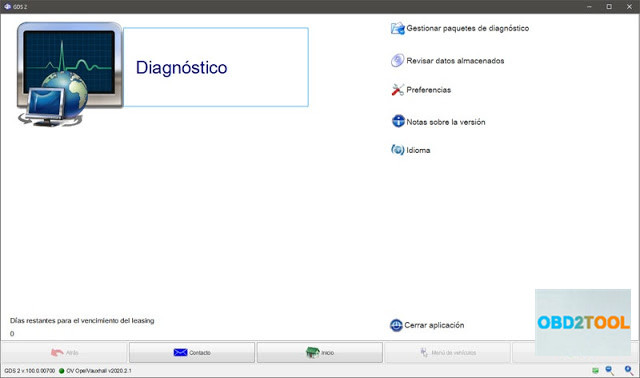
GDS2 V100.0.00700 home menu.
Free-Download-V2020.2.1-GDS2-for-Opel-Vauxhall-1
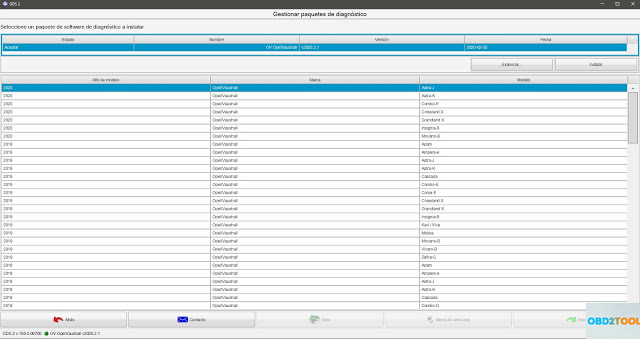
GDS2 V100.0.00700 packets:
Free-Download-V2020.2.1-GDS2-for-Opel-Vauxhall-2
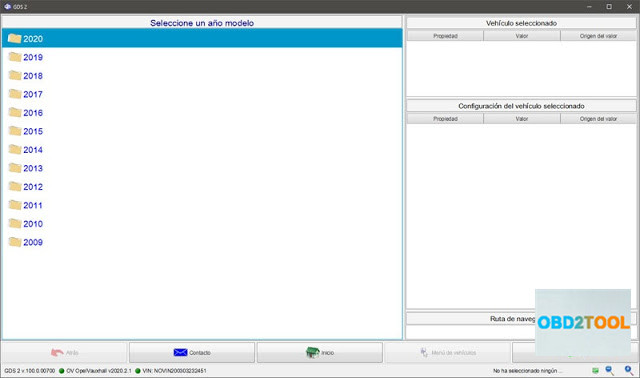
GDS2 V100.0.00700 year-up to 2020:
Free-Download-V2020.2.1-GDS2-for-Opel-Vauxhall-3
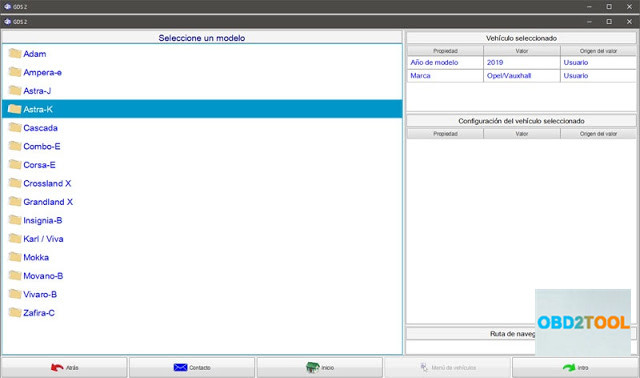
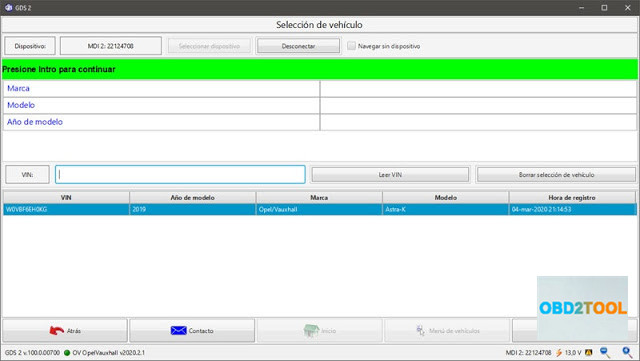
Astra K 2019:
Free-Download-V2020.2.1-GDS2-for-Opel-Vauxhall-4
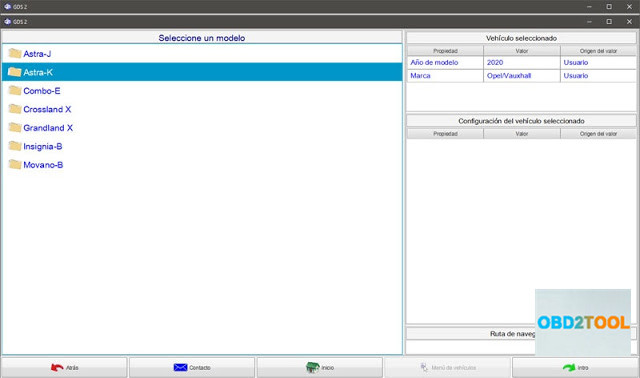
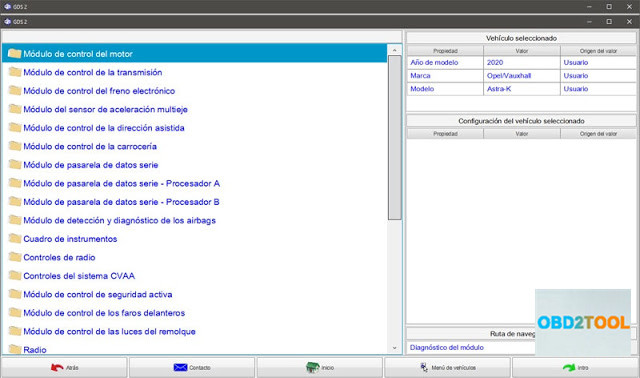
Astra K 2020:
Free-Download-V2020.2.1-GDS2-for-Opel-Vauxhall-5
Free-Download-V2020.2.1-GDS2-for-Opel-Vauxhall-6
The tested hardware compatible with GDS2 V100.0.00700:
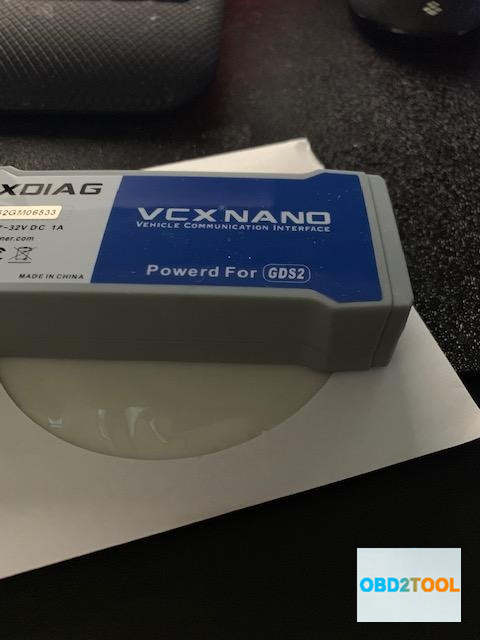
Vxdiag VCX Nano for GM Opel Vauxhall
Wifi version: Confirmed
USB version: Confirmed
The above links are for vxdiag and the loader will start only with connected vxdiag device.
The device is great to start the program an use my MDI.
Free-Download-V2020.2.1-GDS2-for-Opel-Vauxhall-7
GM MDI:
Not compatible with GDS2 V100.0.00700 above.
Please free download GDS2 here: https://mega.nz/#F!jN4lSYaA!5Q_p4sZEySxLu6HVPP418A
And TIS2000 free download (obdii365.com engineer uploaded):
https://share.weiyun.com/54bZnKN (password: f6n69w)
Free-Download-V2020.2.1-GDS2-for-Opel-Vauxhall-8
FYI, GM MDI v8.5.33.53 – it is the manager for GM MDI and GM MDI2
v2.5.36. – it is the manager for the newest Bosch Opel Vauxhall VCI ( this replaced GM MDI2 ).
How to setup GDS2 2020 for vxdiag device?
Personal installing experience:
I found a via to install and activate and works! Lease about of 9400 Days. works with VXDiag connected into USB
Uninstall GDS2 and GDS2 Java from Control Panel, and execute GDS2AutoInstall.exe (this install all automatically) (i used GDS2AutoInstall.exe from another version of GDS2 founded in the net)
then, install VX Manager 1.5.0.0428, (before run GDS2 from desktop, open VXmanager, go to diagnostics, my apps, then install GM GDS2/t2w,) connect the VXDiag and launch the shorcut placed in the desktop GDS2. In GDS2 select connect to MDI2, not to VXDiag.
Free-Download-V2020.2.1-GDS2-for-Opel-Vauxhall-9


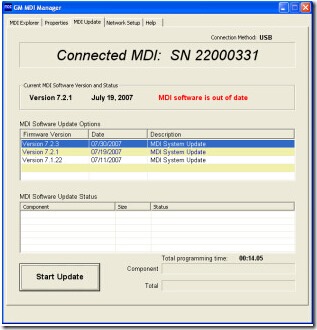
GM MDI scanner asks for software update solution

My GM MDI Scan Tool Multiple Diagnostic Interface with GDS2 and Tech2win software recently display update GM MDI S/W message, what’s the problem? Why does the GM MDI ask for update S/W?
Solution from OBD2TOOL technician:
The MDI software needs to be updated. This condition typically occurs when new GM MDI software is installed on the PC.
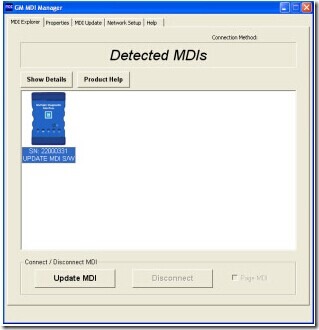
1. Connect to MDI with USB.
2. Select ‘Update MDI’
3. Start Update’ to perform a software update
gm-mdi-update-1
gm-mdi-update-2
How to update GM MDI software?
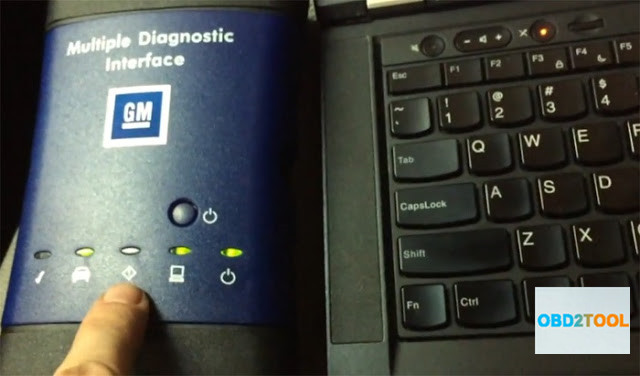
First, click the “MDI_Manager” icon and start the MDI Manager software, connect the PC and the MDI power by plugging the USB cable into the them and power on the MDI by plugging in the AC 12-volt adapter.  When the MDI powers up, the green LEDs will flash in succession while the MDI performs its power on self-test. Once the test detects an MDI fault, the red LED will be illuminated and if the self-test is complete, there will only has the green Power LED be illuminated. Now you are ready to go on your operation.
In the “Detected MDIs” window, the MDI will appear and the “Detected MDIs” window is the main screen for information on your MDIs. Click the “MDI” icon(below the icon, there will have the serial number) and click the button of “Update MDI”.
Then you need to select the latest version of the MDI Tester Software and click “Start Update”. Remember,during the update process, you can not unplug the MDI from the PC or remove the power from the MDI. After you see the message “The GM Scanner MDI will now automatically restart. Wait until you hear the ‘beep’, then the MDI is ready for use”, click “OK” and the MDI Manager software switches automatically to the MDI Explorer tab and your MDI will appear when it has finished the restart and Power On Self Test.